
Incident Management
End-to-end incident lifecycle management from reporting to investigation to closure.
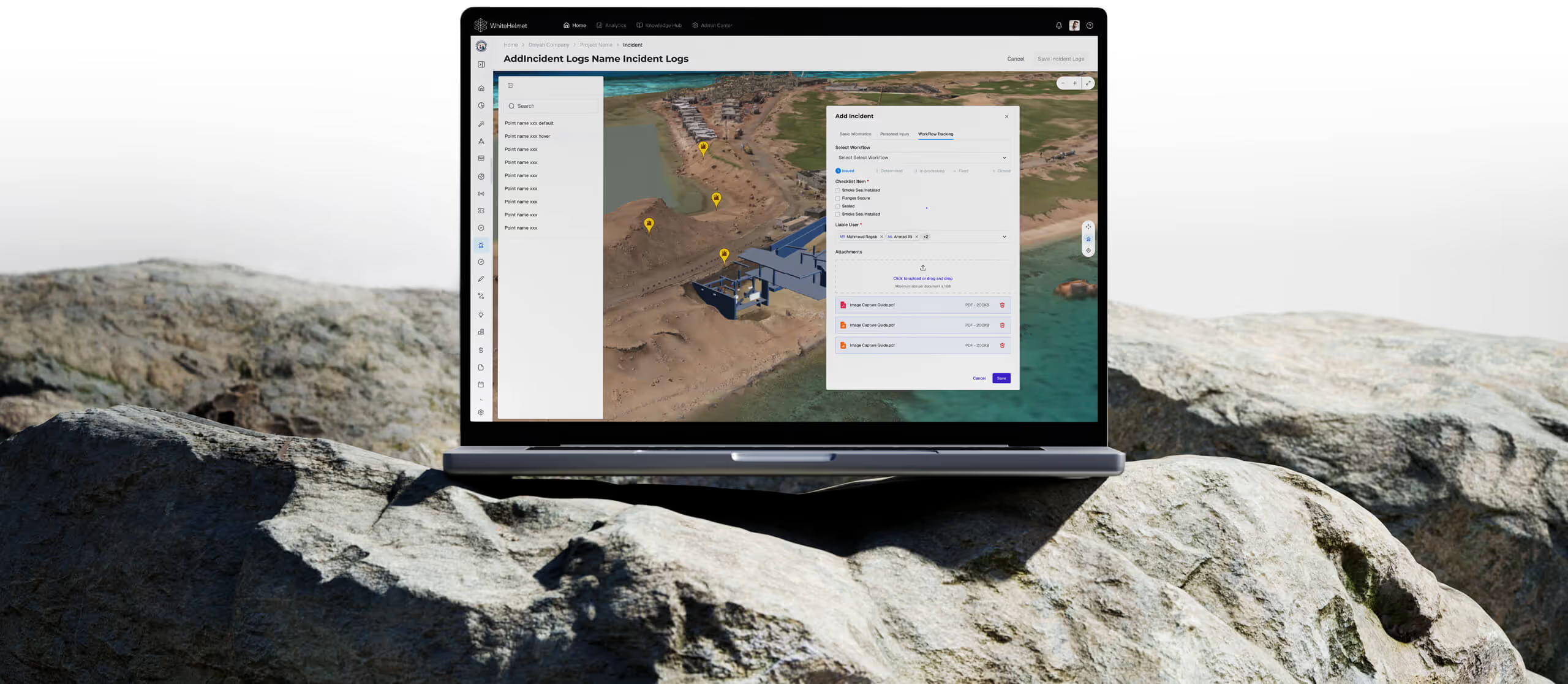
Respond Faster. Investigate Deeper. Prevent Recurrence.
Digitize your entire incident lifecycle — from initial report and geo-tagged documentation through SOP-driven investigation workflows to corrective actions and closure. Incident Management ensures every incident is handled consistently and patterns are identified to take preventive action.
Digital Incident Reporting
SOP-Driven Investigation Workflows
Geo-Tagged Incident Mapping
Incident Analytics Dashboard
.avif)
Digital Incident Reporting
Log incidents from the field with structured forms, photo/video evidence, and automatic geo-tagging. Pre-configured templates ensure all required data is captured consistently.
SOP-Driven Investigation Workflow
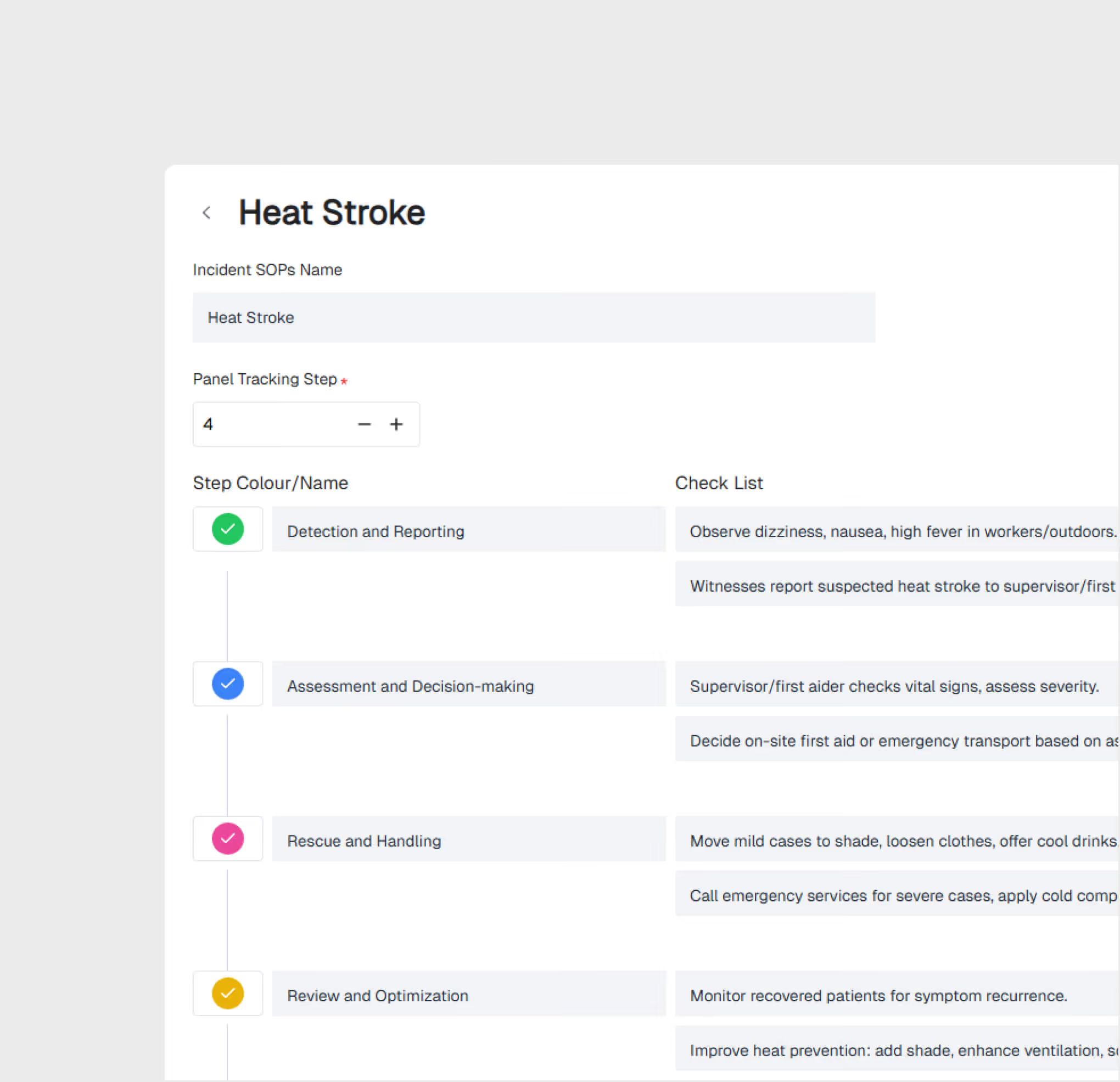
Trigger standardized investigation workflows automatically based on incident severity. SOPs guide investigators through each step — ensuring consistency and completeness.
Geo-Tagged Incident Visualization
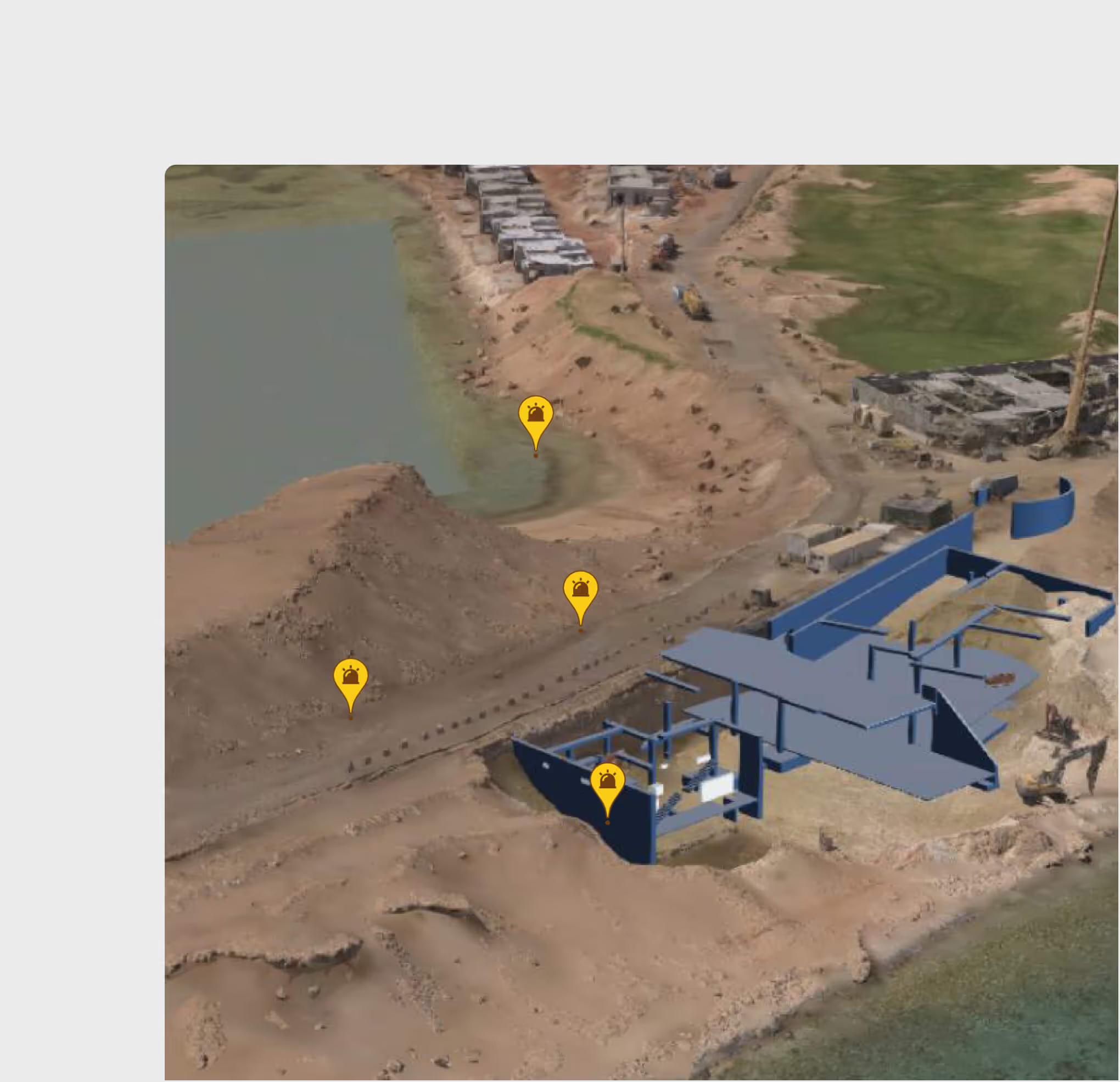
View all incidents on the project GIS map. Identify spatial patterns, high-risk zones, and recurring incident locations for targeted prevention strategies.
Incident Dashboard & Analytics
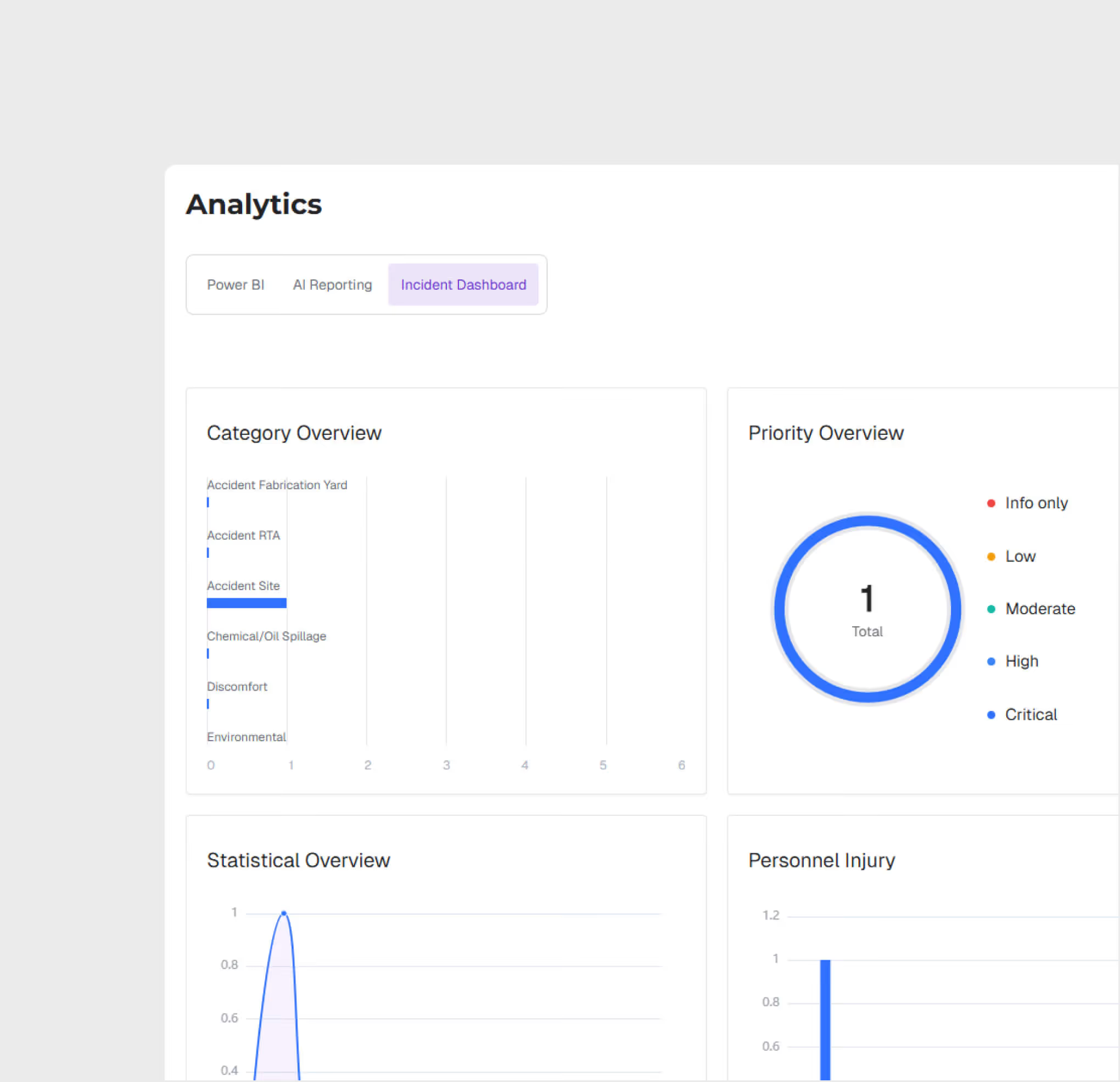
Track incident trends, response times, resolution rates, and severity distributions. Generate regulatory reports and identify patterns for proactive safety management.
Incident Management is most useful for:
HSE Managers
Incident Lifecycle Oversight
Manage the full incident lifecycle from report to closure, ensure SOP compliance for investigations, and track corrective action completion.
Site Supervisors
Rapid Incident Reporting
Report incidents in the field immediately using mobile forms with geo-tagging and photo evidence — eliminating delayed paper-based reporting.
QHSE Directors
Trend Analysis & Prevention
Analyze incident patterns across the project portfolio, identify systemic risks, and implement preventive measures based on data — not intuition.
"Previously all our incidents were called in across site with no visibility in patterns and areas to improve. With WhiteHelmet Incident Management, we quickly identified the largest areas of improvement and were able to attain an accurate report of incidents per month."
.avif)
Frequently asked questions
Yes. All geo-tagged incidents are displayed on the GIS map, enabling spatial analysis of incident patterns and high-risk zone identification.
GIS 3D supports IFC and RVT for BIM models, LAS/LAZ for point clouds, and standard image formats for drone orthomosaics and aerial imagery.
Yes. GIS 2D and GIS 3D share the same geospatial foundation. You can switch between 2D planning views and 3D visualization views seamlessly.
When an incident is logged, the user selects the appropriate SOP-based workflow based on incident type and severity, guiding investigators through each required step.
WhiteHelmet products Incident Management works well with

Field Intelligence
