Observations
Geo-tagged site observation management with auto-escalation and resolution tracking.
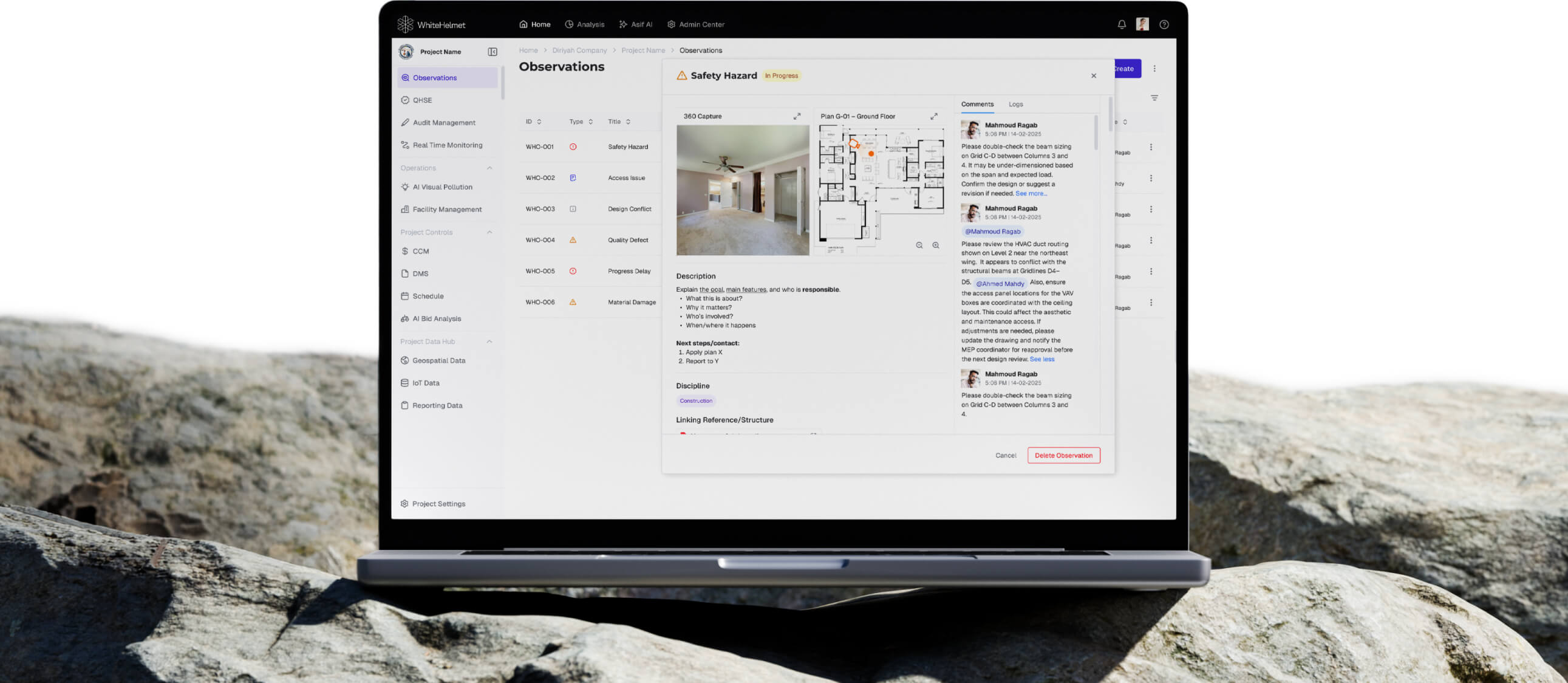
Spot It. Log It. Resolve It. Faster.
Log site observations with location data, photos, and categories. Track each observation through assignment, resolution, and closure — with auto-escalation to ensure nothing falls through the cracks. Resolves snags and create punch lists during closeout.
Geo-Tagged Observation Logging
Tag and Comment to Colleagues
Resolution Tracking Dashboard
Multi-Category Classification
Photo & Evidence Attachment
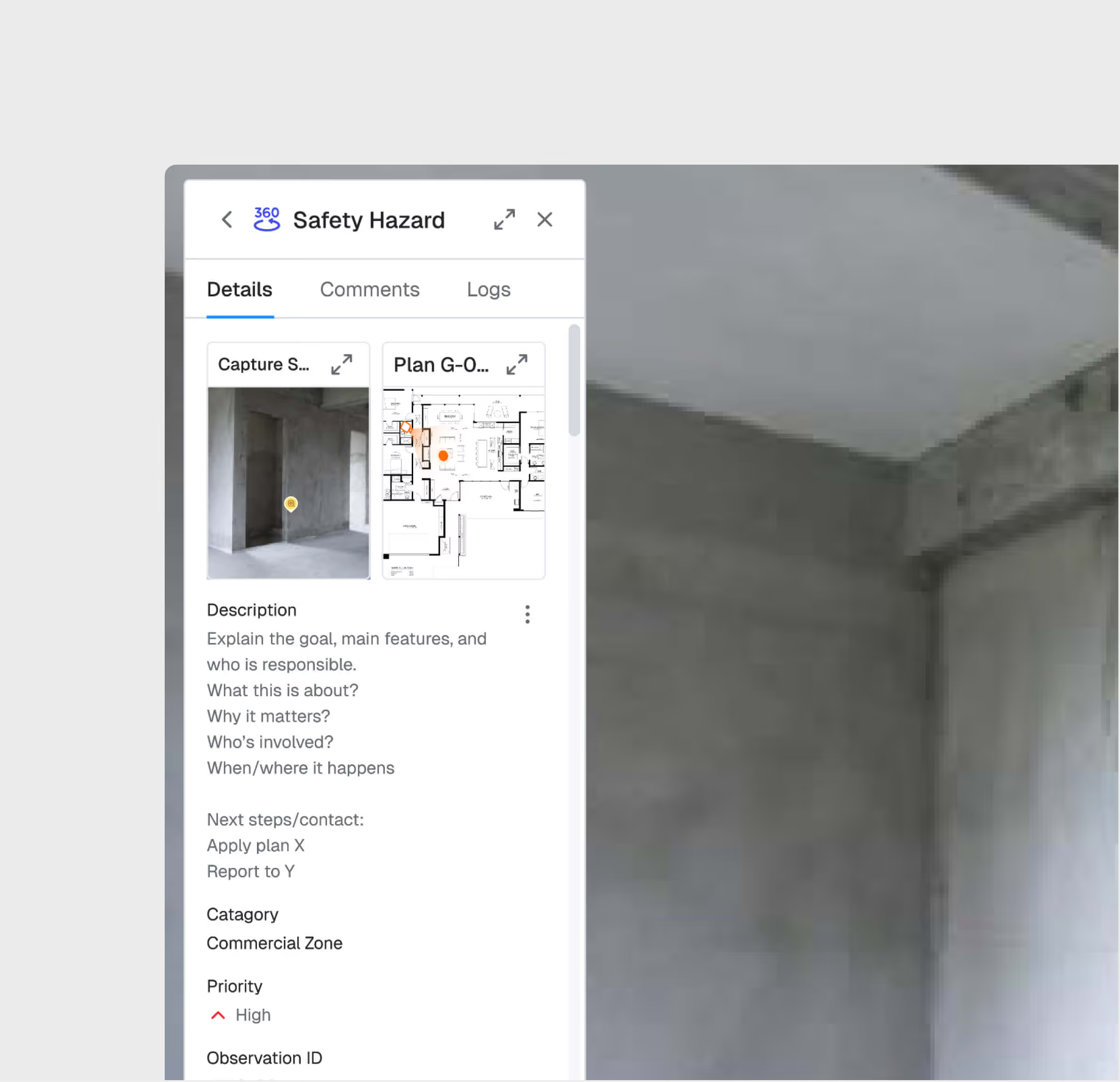
Geo-Referenced Observation Logging
Log observations from the field with automatic geo-tagging, photos, and structured categories. Every observation is anchored to a specific location on the project map.
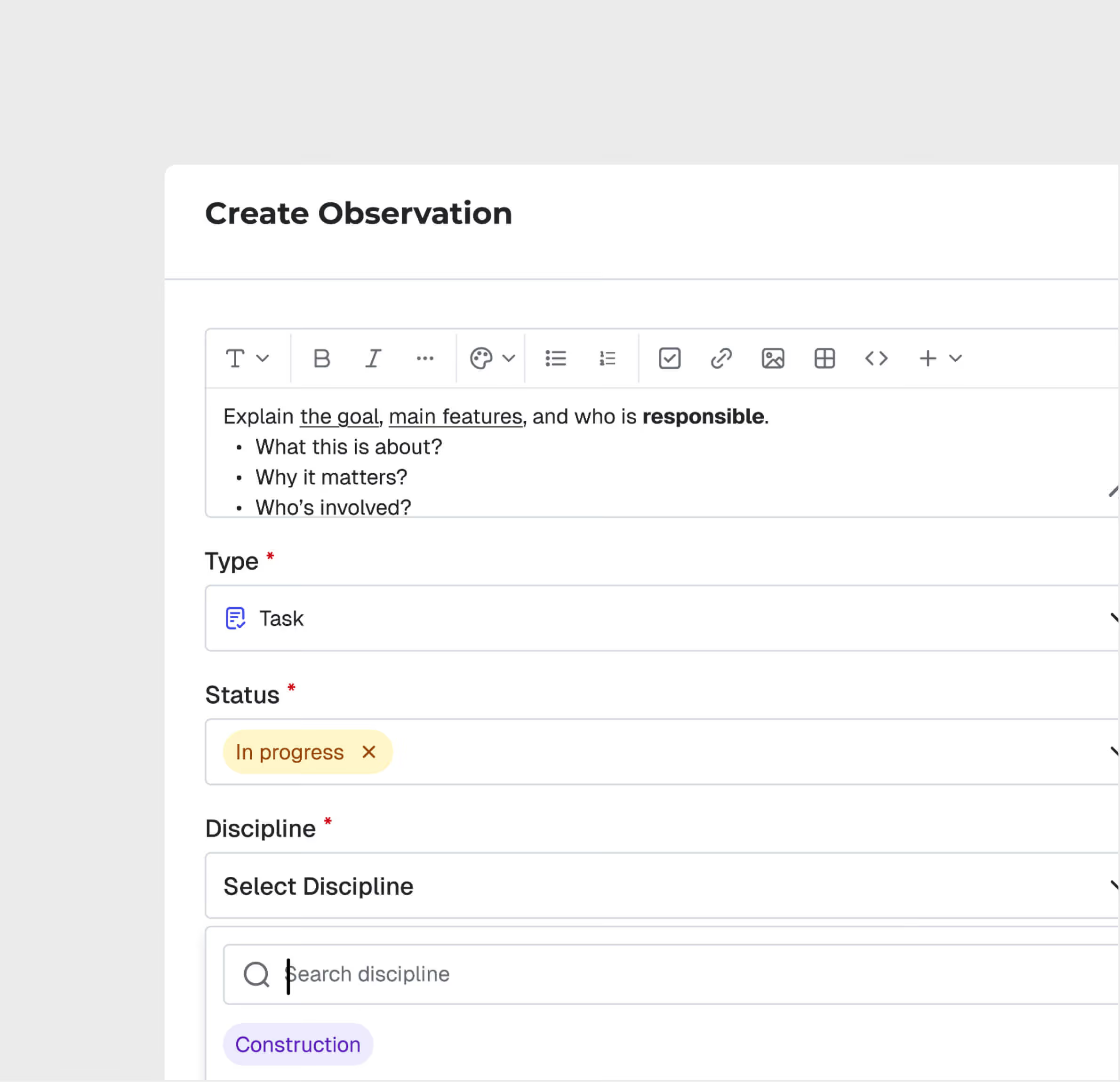
Categorize Observations
Select observation categories and severity levels based on the description and photos, ensuring consistent classification across your team.
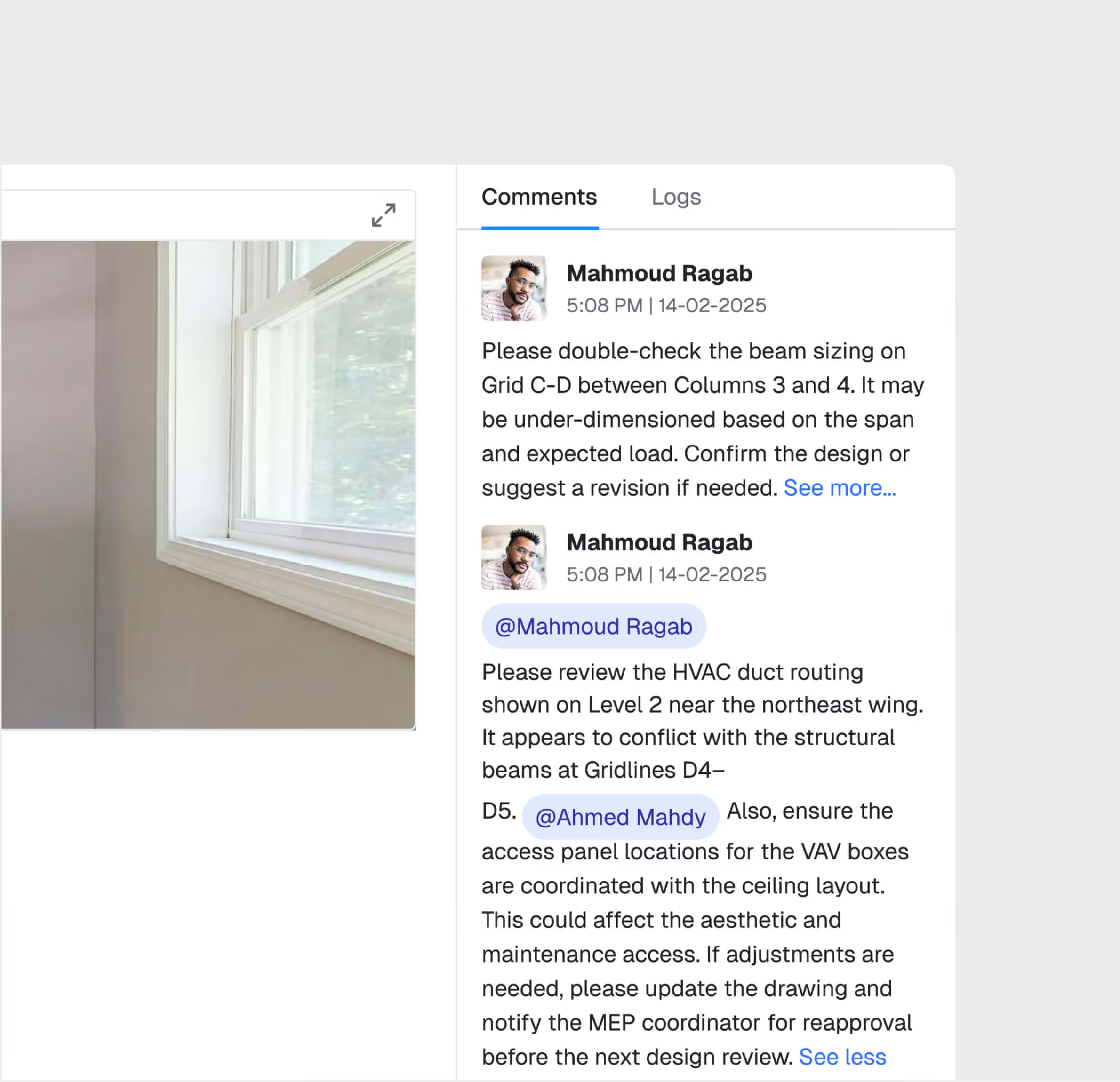
Tag and Comment Colleagues
Comment on observations, tag colleagues, and assign relevant person to resolve the issue.
Resolution Tracking Dashboard
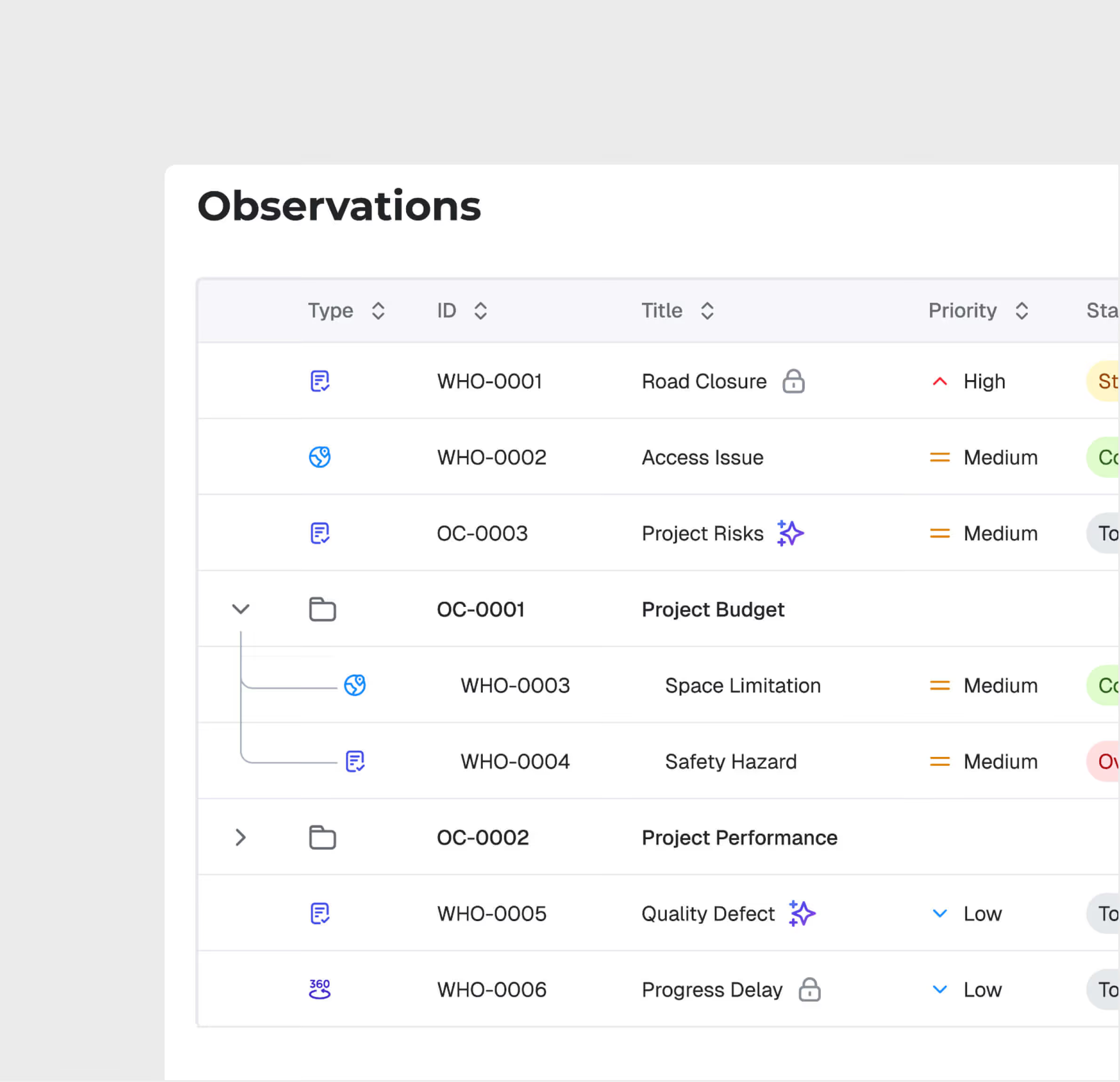
Track all observations through their lifecycle — open, assigned, in-progress, resolved, closed — with real-time dashboards showing response times and resolution rates.
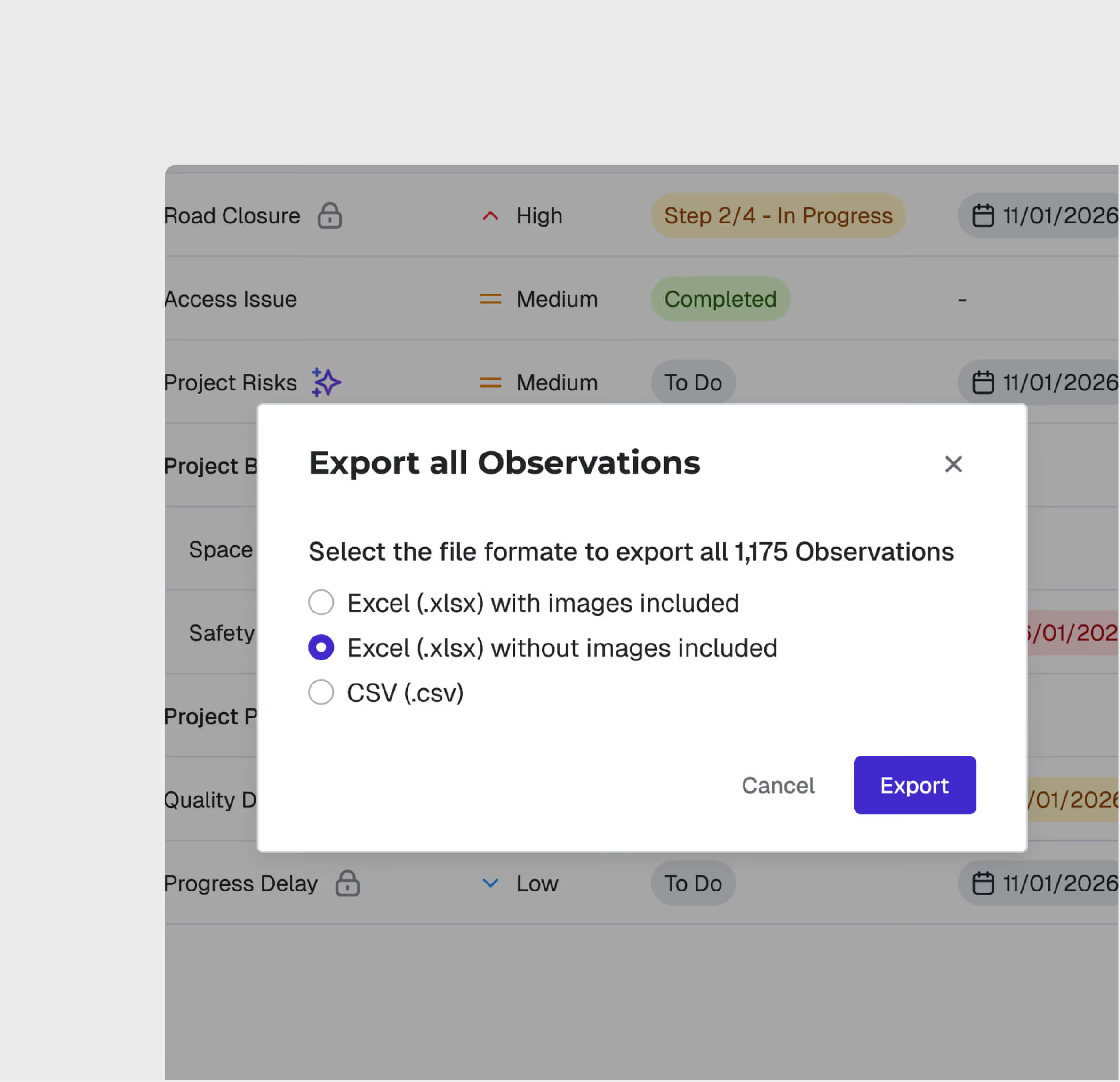
Export & Reporting
Export observation logs as PDF or Excel reports. Generate analytics on observation patterns, recurrent issues, and team response performance.
Observations is most useful for:
QA/QC Engineers
Real-Time Field Reporting
Log safety, quality, and environmental observations from the field in seconds — with automatic geo-tagging and photo attachment.
Site Managers
Safety Observation Tracking
Monitor site safety observations, track resolution rates, and identify recurring hazard patterns for proactive risk management.
Project Managers
Issue Resolution Oversight
View all open observations across the project, monitor SLA compliance, and ensure nothing escalates due to delayed response.
"Our average observation resolution time dropped from 5 days to 8 hours using WhiteHelmet Observation Management. Nothing gets lost anymore. Everything is organized and geotagged with evidence."
.avif)
Frequently asked questions
Work packages are color-coded on the map by status — planned, in-progress, and completed — with drill-down access to percentage completion and contractor assignments. They are connected to the reporting engine.
Yes. GIS 2D integrates directly with Primavera P6, displaying activity dates, completion percentages, and dependencies on the spatial map.
GIS 2D supports DWG, DXF, and KML file formats for CAD and geospatial overlays, with file sizes up to 100 MB for CAD and 50 MB for KML.
Workflows are easily configured with multiple review/approval stages, role-based routing, and SLA timers. Documents advance through stages based on approver actions.
The DMS supports all standard construction file formats including PDF, DWG, DXF, DOC, XLS, images, BIM files, and more.
Yes. Models from Revit and AutoCAD can be uploaded directly. The platform also supports IFC for open-standard interoperability.
WhiteHelmet products Observations works well with

Field Intelligence

Project Management Intelligence
Tools that work alongside this product

WhiteHelmet Applications are available in both Google Play and App Store.