
DMS and Workflow
Enterprise document management with automated approval workflows and full audit trail.
.jpg)
Digitalize Your Documents. Automate Your Approvals.
Manage all project documents in a structured, version-controlled repository with automated approval workflows. DMS and Workflow replaces email-based document distribution with a secure, traceable system that enforces your approval processes.
Centralized Document Repository
Automated Approval Workflows
Version Control & Numbering
Role-Based Access Control
Full Audit Trail
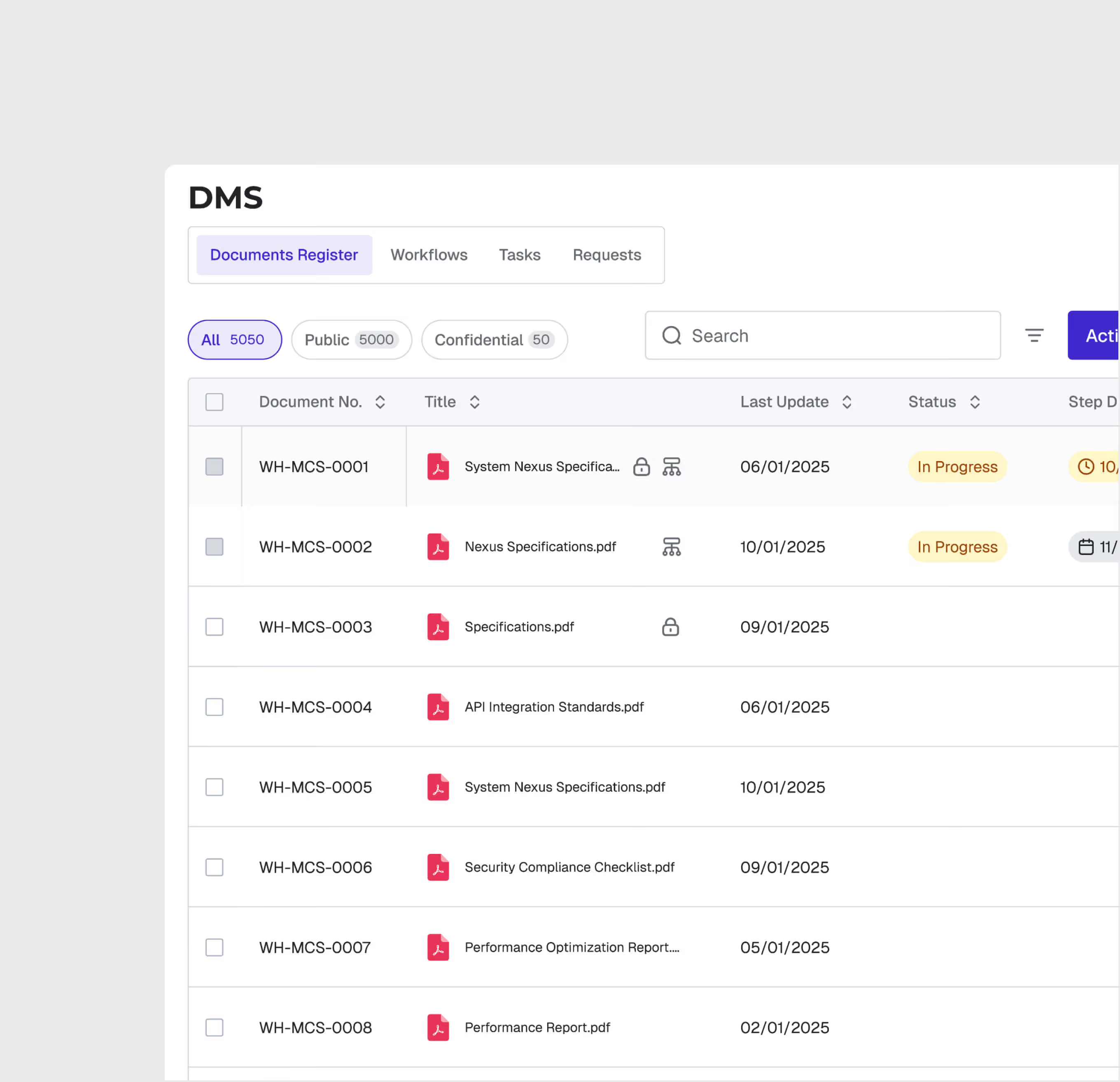
Centralized Document Repository
Store all project documents in a structured hierarchy with folders, metadata tags, and powerful search. Every document is version-controlled with automatic numbering.
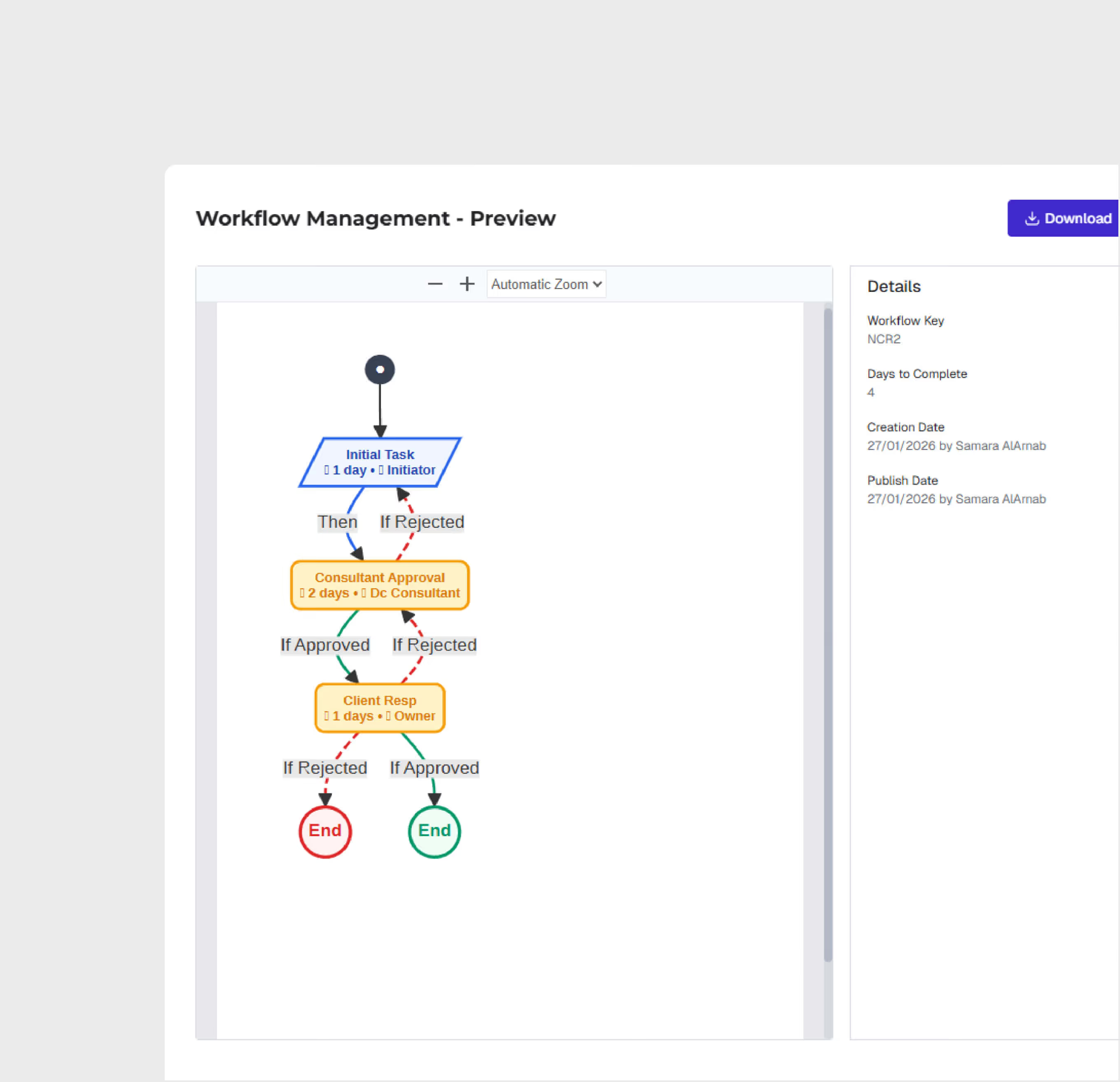
Automated Workflow Engine
Configure multi-step approval workflows with role-based routing, SLA enforcement, and automatic escalation. Drawings, submittals, and RFIs follow structured approval paths.
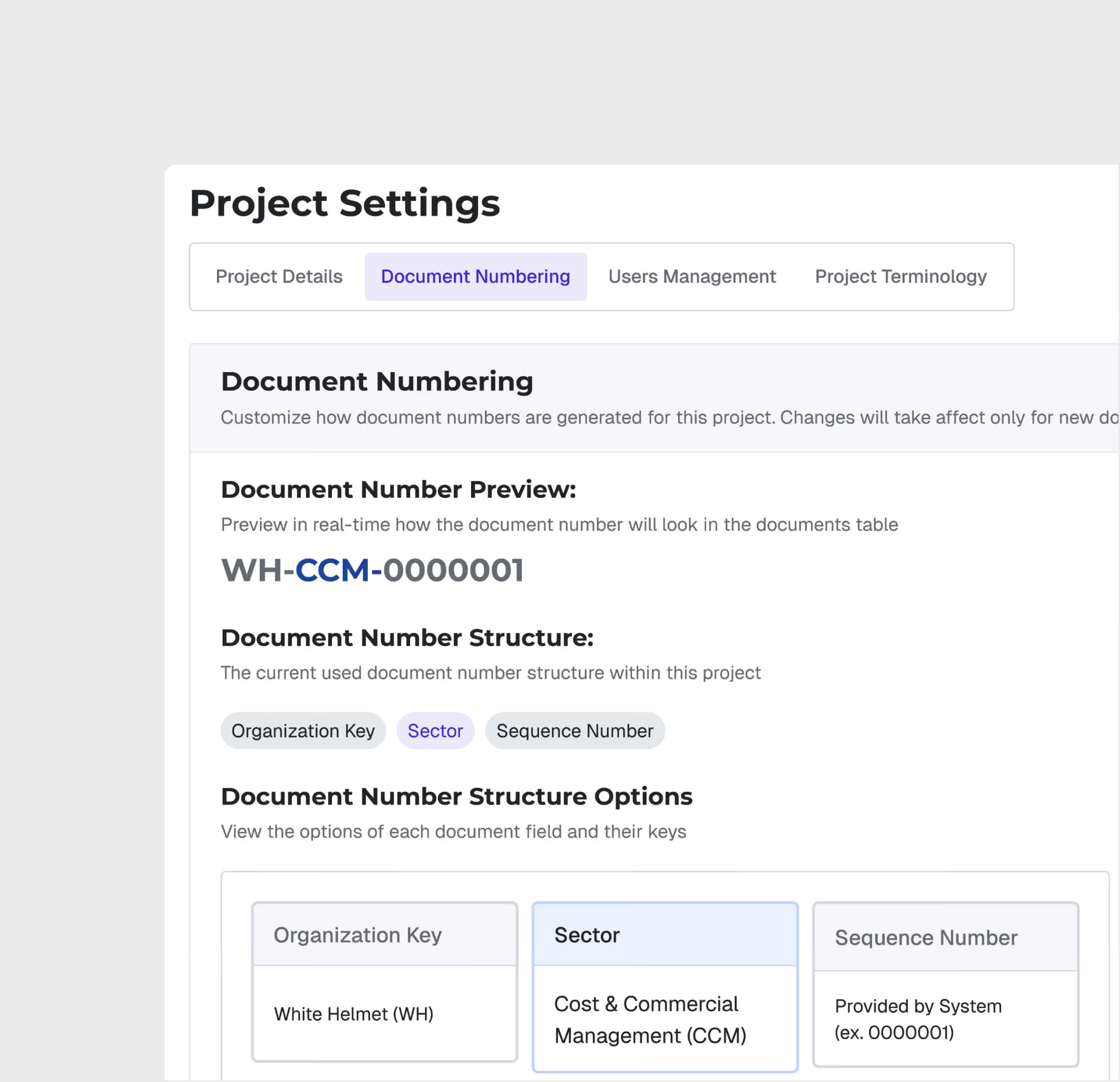
Document Numbering & Status
Automated document numbering follows your organization's conventions. Track document status — draft, in-review, approved, superseded — with full lifecycle management.
Template-Based Workflows
Create and reuse workflow templates for common approval processes. Standardize how documents move through your organization for consistency and compliance.
.avif)
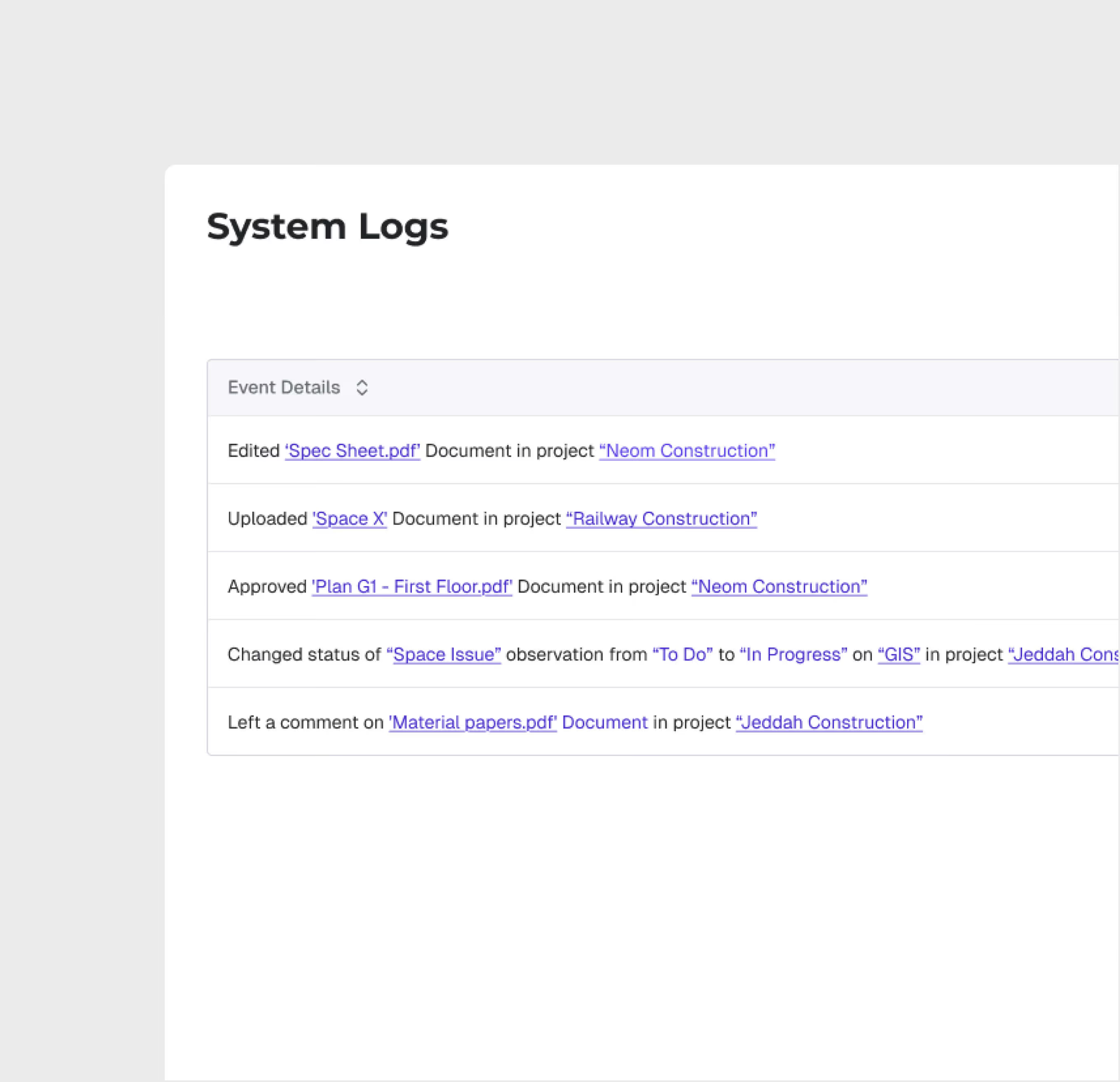
Comprehensive Audit Trail
Every document action is logged — upload, view, download, comment, approve, reject — creating a complete audit trail for regulatory compliance and dispute resolution.
DMS and Workflow is most useful for:
Document Controllers
Centralized Document Management
Manage the complete document lifecycle — from upload through approval to distribution — in a single system that replaces email-based document handling.
Project Engineers
Drawing Approval Workflows
Submit drawings and technical documents through structured approval workflows, track review status, and receive notifications when action is needed.
Project Managers
Approval Bottleneck Visibility
Monitor document approval queues, identify bottlenecks, and ensure SLA compliance across all document types to prevent schedule delays.
"We processed 15,000 documents in the first 6 months with zero lost files and 95% SLA compliance on approvals. Our document controller team went from firefighting in Aconex to reducing review time by 2 weeks on average per document workflow."
.avif)
Frequently asked questions
Yes. All geo-tagged incidents are displayed on the GIS map, enabling spatial analysis of incident patterns and high-risk zone identification.
GIS 3D supports IFC and RVT for BIM models, LAS/LAZ for point clouds, and standard image formats for drone orthomosaics and aerial imagery.
Yes. GIS 2D and GIS 3D share the same geospatial foundation. You can switch between 2D planning views and 3D visualization views seamlessly.
When an incident is logged, the user selects the appropriate SOP-based workflow based on incident type and severity, guiding investigators through each required step.
WhiteHelmet products DMS and Workflow works well with

Field Intelligence
