
Cost & Commercial Management (CCM)
One module for cost, EVM, schedule, stage gates, field and reporting, and AI-assisted onboarding gets you live in days, not months.
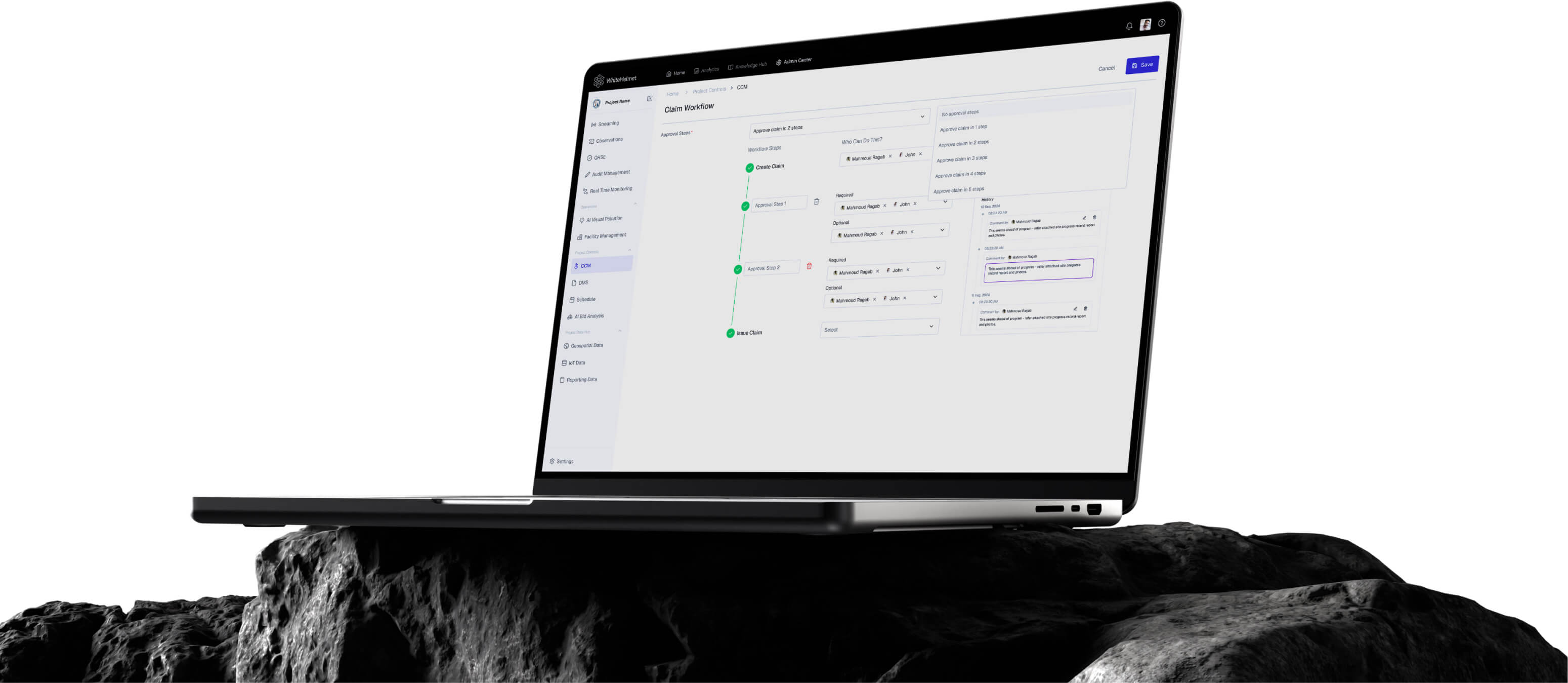
Master Your Costs. Govern Your Project.
Enterprise commercial management with real-time cost and schedule tracking. Manage your project’s cost, risks, schedule, stage gates, field and reporting across in one module.
EVM & Performance
Schedule Studio (P6 Parity)
Budget-to-Certificate Ledger
CPM Scheduling
Dynamic Reporting & Briefs
Stage Gates + DoA
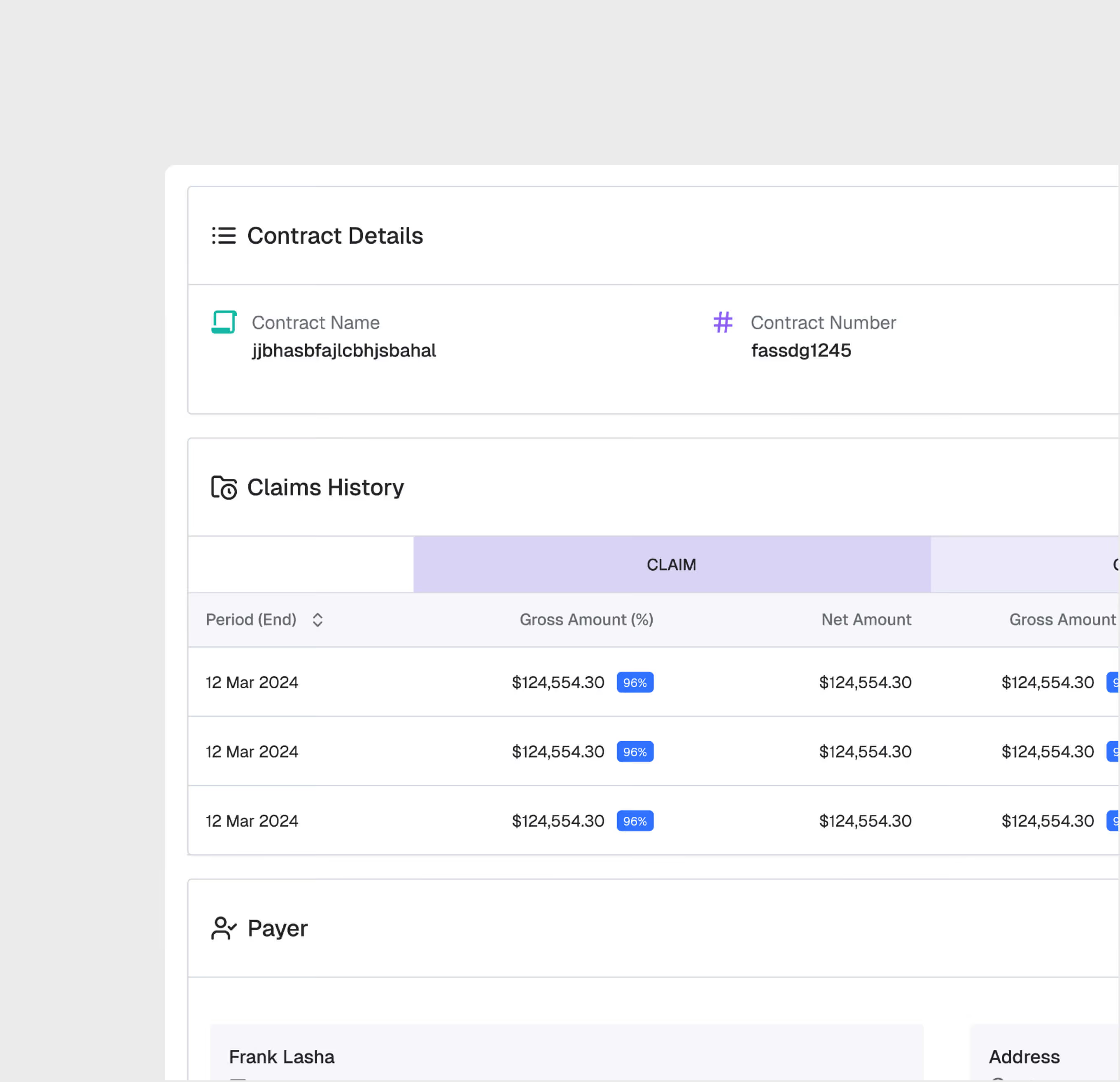
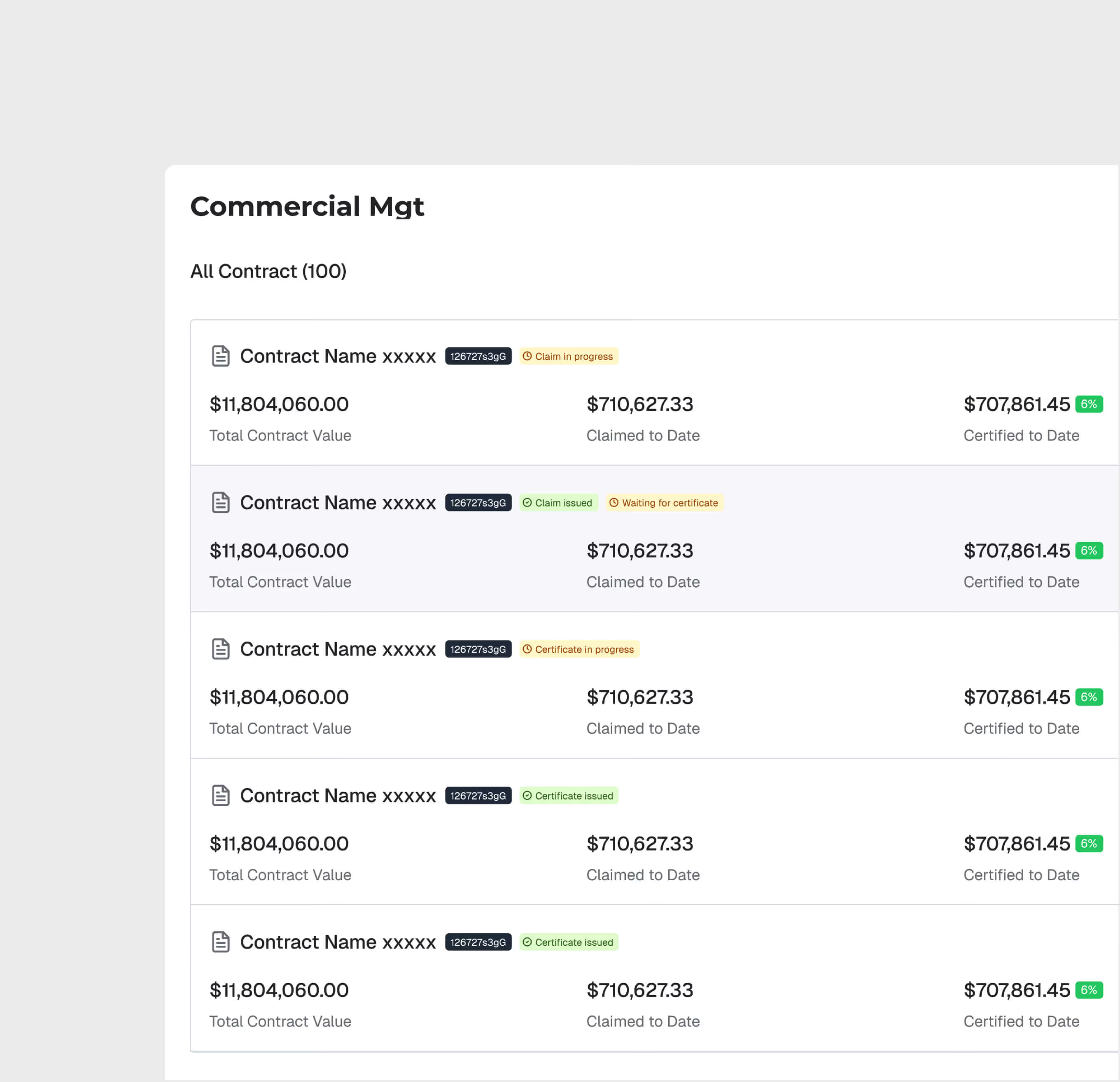
Contract Setup & Administration
Create and manage contracts with structured data — contract value, milestones, variations, retention, and key dates.
Claims Processing Workflow
Submit, review, and approve claims through a structured workflow. Track claim status, supporting documentation, and approval chains for full commercial transparency.
.avif)
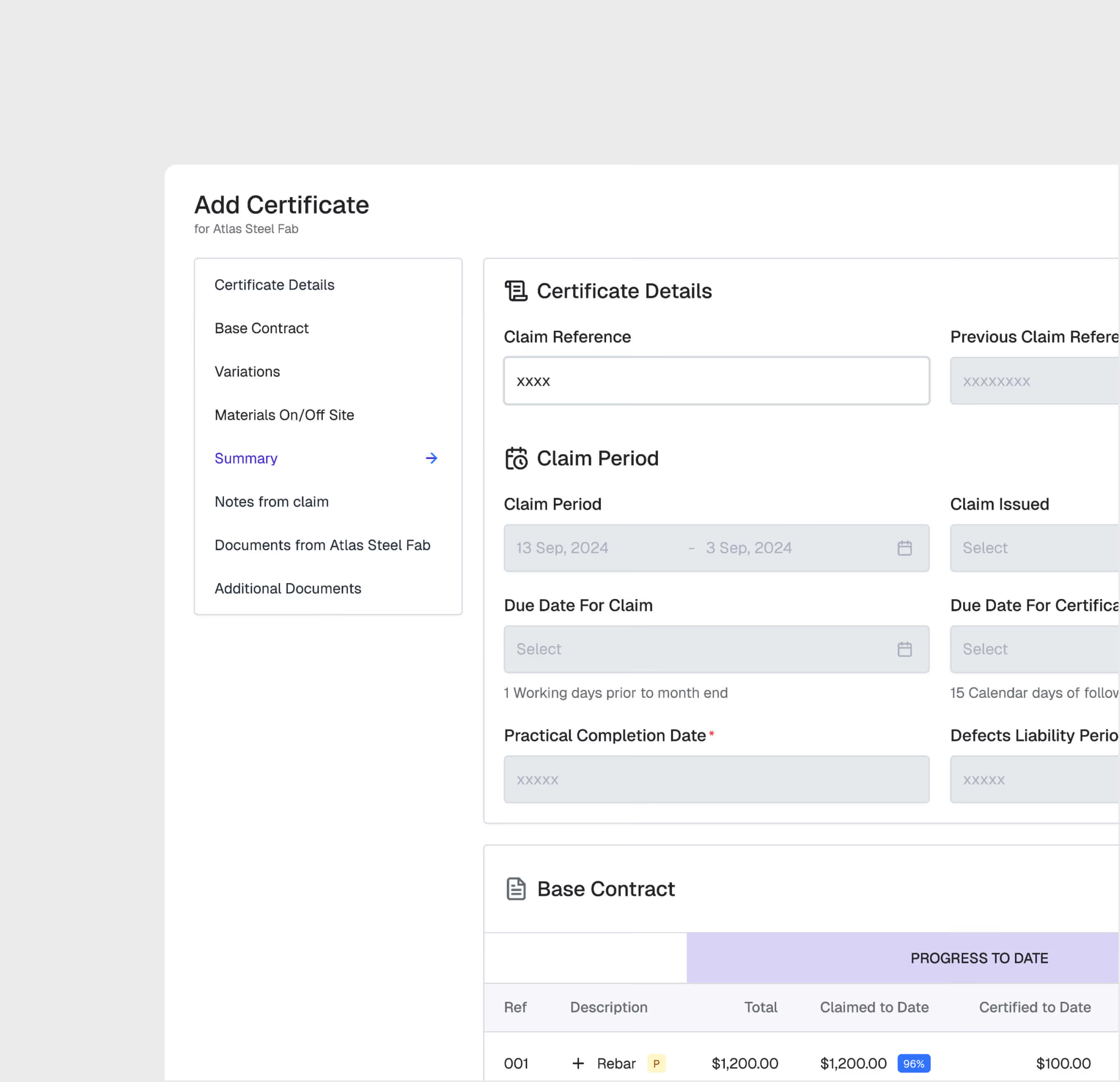
Certified Payment Management
Generate and track interim payment certificates tied to contract milestones. Automate certified-to-date calculations and manage retention and release schedules.
Financial Dashboard
View the financial health of each contract — original value, approved variations, claims, certified payments, and outstanding amounts — all in a real-time dashboard.
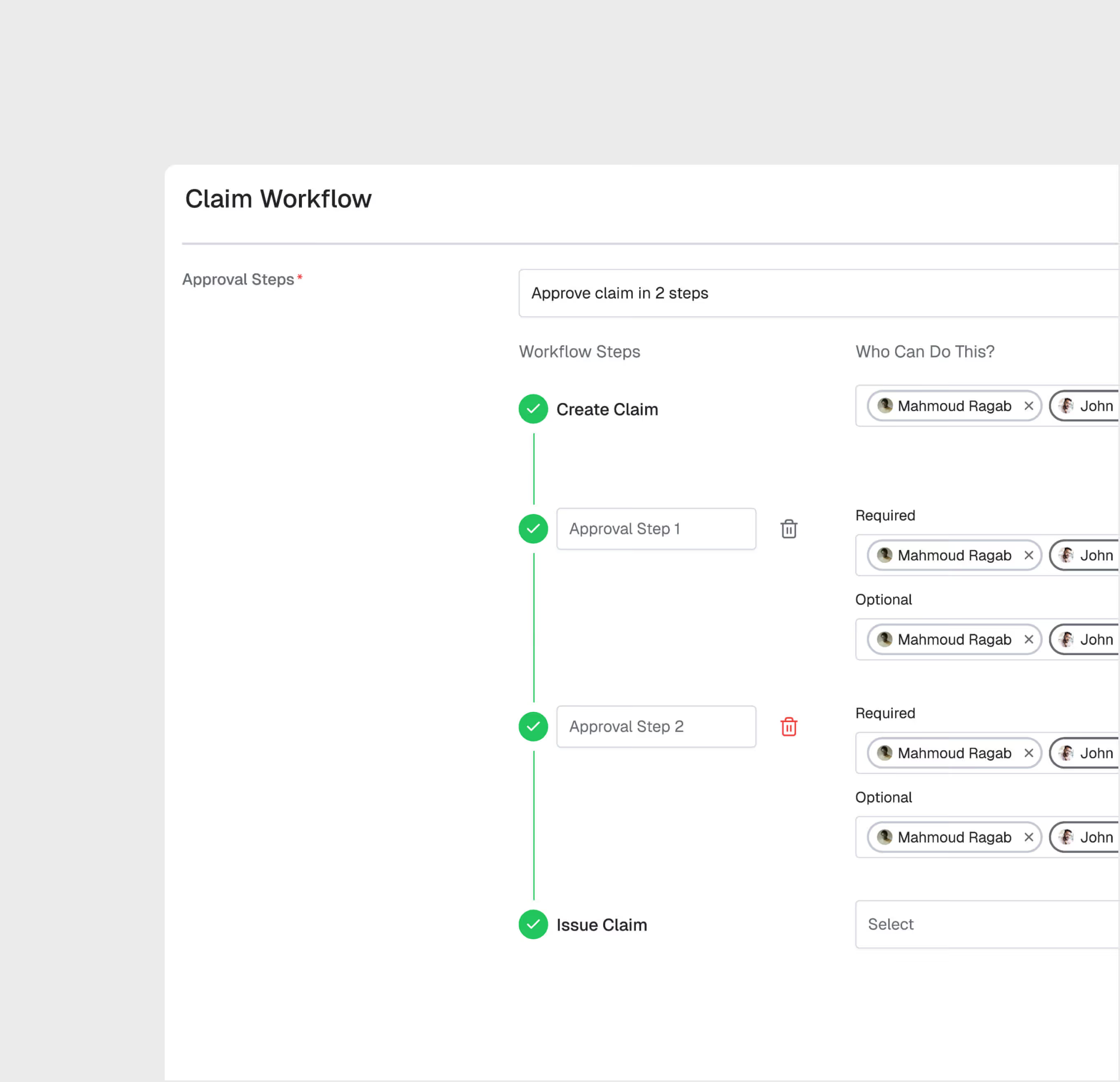
Multi-Level Approval Chains
Configure approval hierarchies by value threshold. Small claims may need one approval; large variations may require multiple levels up to senior management.
Cost & Commercial Management (CCM) is most useful for:
Commercial Managers
Contract Administration
Manage the full commercial lifecycle of construction contracts — from setup through variations, claims, and final account — in a structured, auditable system.
PMO Quantity Surveyors
Claims and Valuations
Prepare and submit claims with supporting documentation, track valuation progress, and manage certified payment calculations efficiently.
Finance Directors
Payment Oversight
Monitor payment certification across all contracts, track outstanding claims, and manage cash flow projections based on real-time contract data.
"Claim processing time went from 45 days to 12 days. Contractors are happier because they get paid faster, and we have full visibility into our commercial exposure."
.avif)
Frequently asked questions
Yes. Pin dashboards to the AI Reporting section for ongoing access. Export as PDF, CSV, or Excel for distribution.
No. Ask questions in plain language and the AI generates appropriate visualizations. The interface is designed for project professionals, not data scientists.
Upload Excel (XLSX, XLS) and CSV files. The AI automatically parses column headers and data types for analysis.
Each finding is logged with clause references, severity, and suggested remediation. You can track resolution status through the analysis history.
A typical 100-page document set can be analyzed in 1-2 hours, compared to 4-8 weeks for manual review.
No. The AI provides a compliance pre-screening tool to accelerate human review. Final compliance determinations should be validated by qualified professionals.
WhiteHelmet products Cost & Commercial Management (CCM) works well with

Field Intelligence
