
Reporting Engine
Automated construction reporting with templates, sub-contractor consolidation, and work package integration.
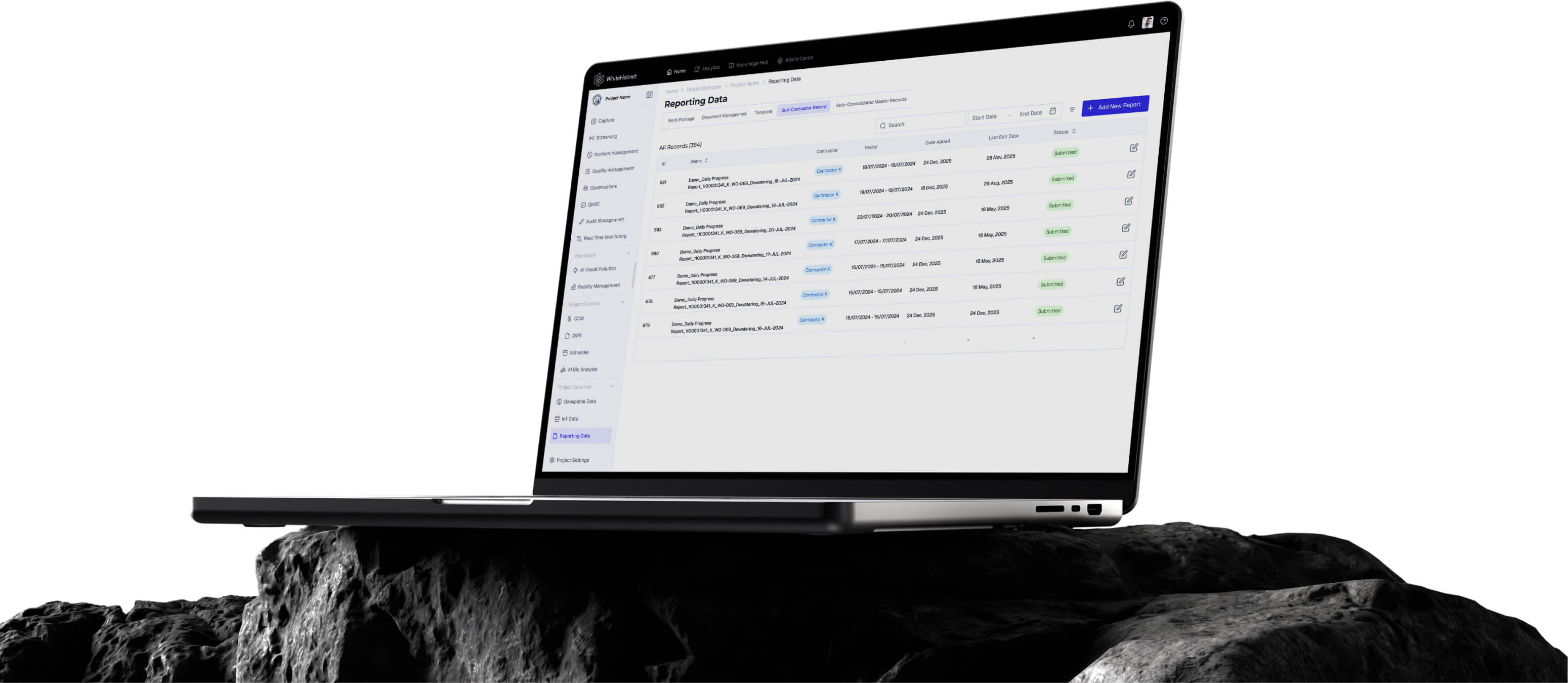
Reports That Write Themselves.
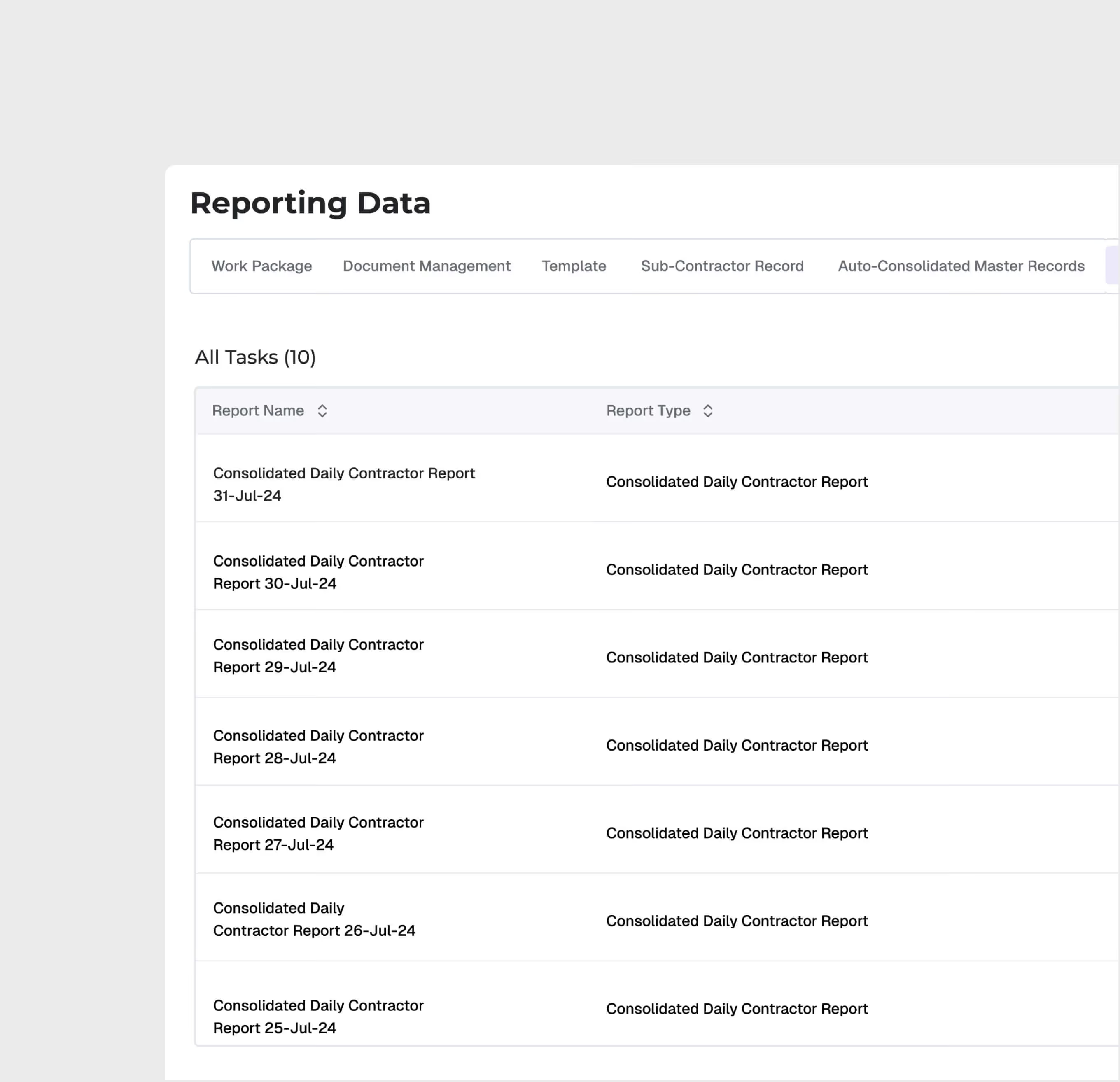
Automate daily, weekly, and monthly construction reports using configurable templates. The Reporting Engine consolidates sub-contractor submissions, integrates work package data, and generates master records — eliminating the manual reporting cycle.
Configurable Report Templates
Sub-Contractor Report Consolidation
Work Package Categorization
Auto-Generated Master Records
Notification & Reminder System
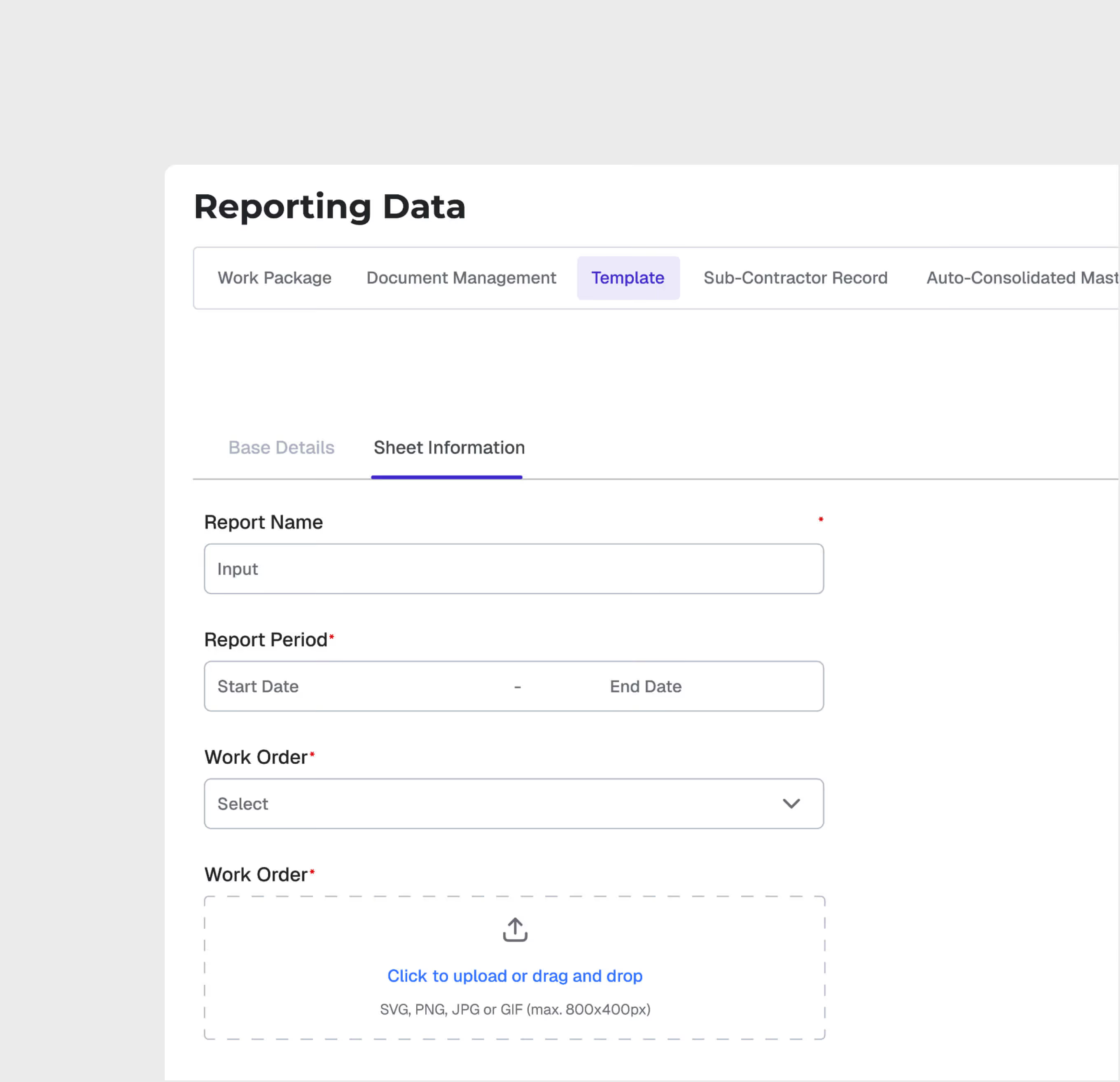
Template-Based Reporting
Create report templates with custom sections, fields, and approval workflows. Sub-contractors and teams submit reports using standardized templates for consistent data capture.
Sub-Contractor Record Management
Manage sub-contractor report submissions centrally. Remind subcontractors automatically and maintain a complete record of all contractor-reported data.
.avif)
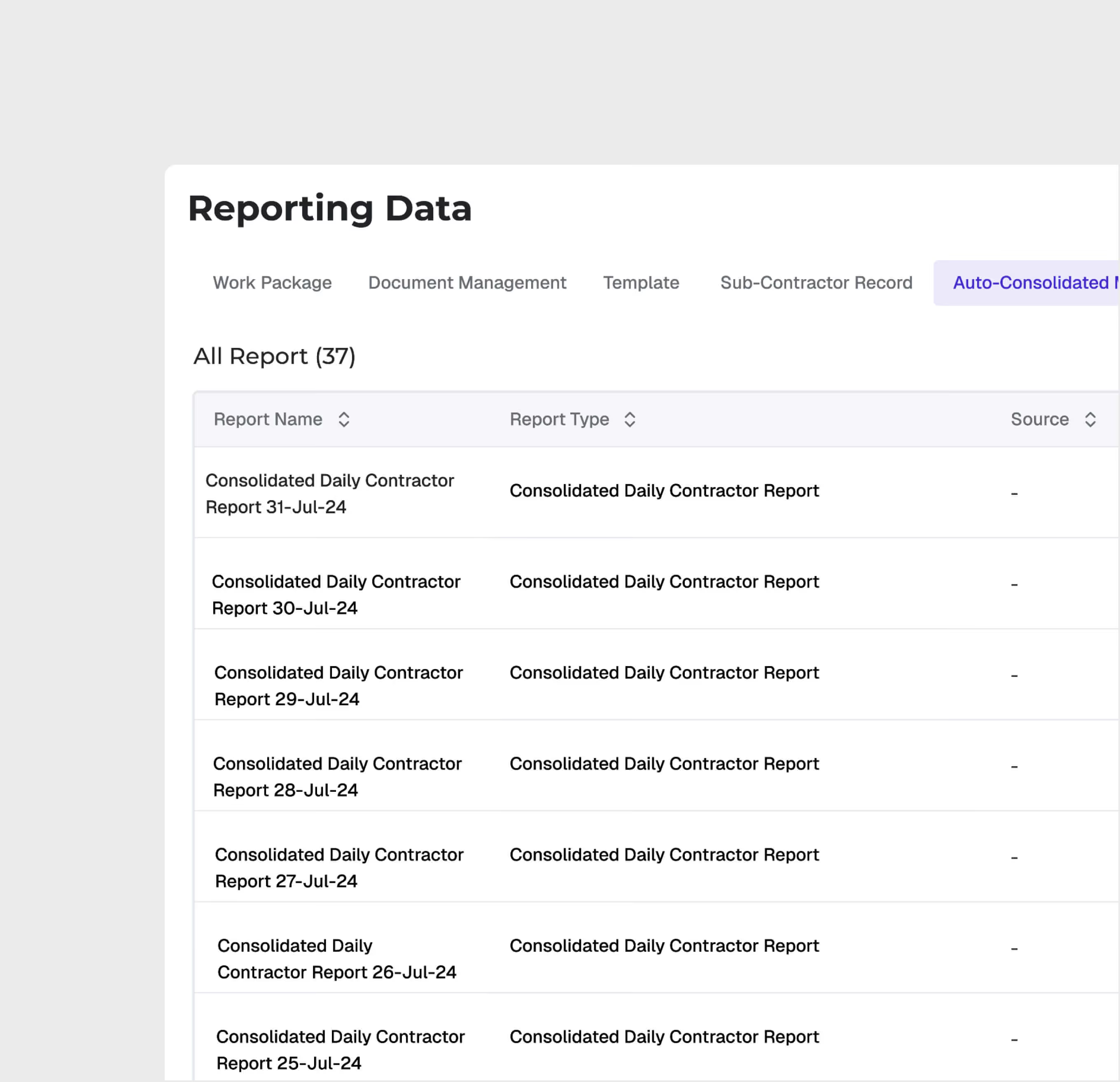
Auto-Consolidated Master Records
The engine automatically consolidates individual report submissions into master records — aggregating data across contractors, zones, and work packages without manual compilation.
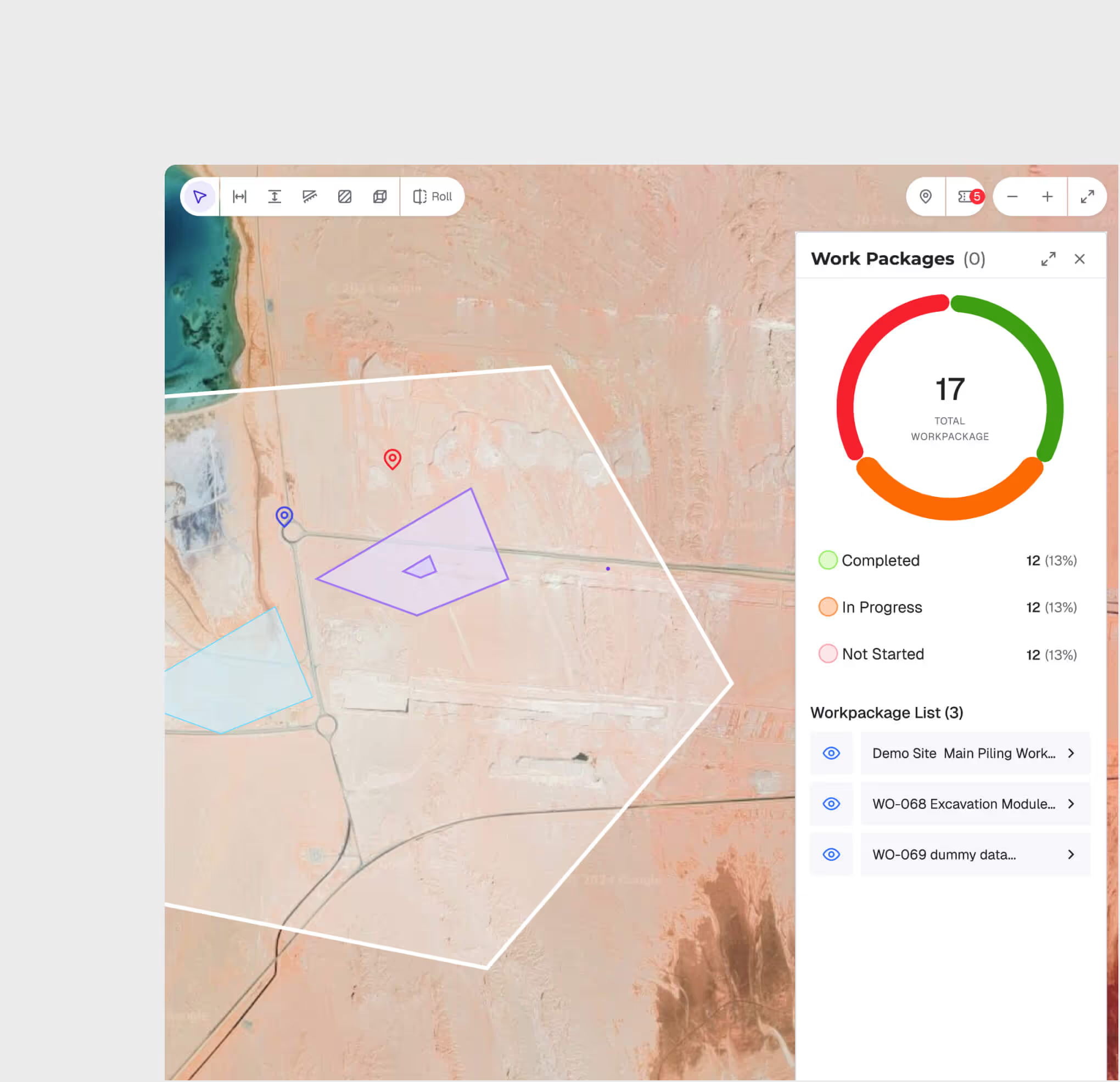
Work Package Integration
Connect master records with work package. Then visualize work packages on the GIS map via the reporting engine data.
Notification & Compliance Tracking
Configure automated reminders for report submission deadlines.
Reporting Engine is most useful for:
Project Managers
Automated Progress Reporting
Generate comprehensive progress reports automatically — consolidating data from multiple contractors and work packages without manual data entry.
Sub-Contractors
Standardized Submissions
Submit required reports using pre-configured templates with clear field requirements, reducing back-and-forth on report format and content.
PMO Teams
Portfolio-Level Reporting
Aggregate project-level reports into portfolio dashboards with consistent metrics, enabling cross-project comparison and executive reporting.
"Our monthly report used to take a team of three people an entire week to compile. Now it auto-generates from sub-contractor submissions in real time instantly."
.avif)
Frequently asked questions
You have the right to access, correct, or request deletion of your personal data at any time. Submit a request to info@whitehelmet.com.
Data is stored on Oracle Cloud Infrastructure (OCI) located geographically within the Kingdom of Saudi Arabia, in compliance with local data residency requirements.
GIS 2D focuses on 2D planning overlays, schedule integration, and zone-level progress tracking. GIS 3D adds 3D visualization with BIM, point cloud, drone analysis, and reality capture comparison.
Yes. Multiple users can add annotations simultaneously. Each annotation is saved with structured metadata, timestamps, and user attribution.
Yes. The web-based interface is responsive and accessible from tablets and mobile devices in the field, enabling real-time map access on-site.
Every upload creates a version record with metadata. You can compare any two versions visually and view a full change log.
WhiteHelmet products Reporting Engine works well with

Field Intelligence
