
Design Management
Centralized BIM/CAD coordination hub with clash detection, design comparison, and Omniclass/RICS analysis.
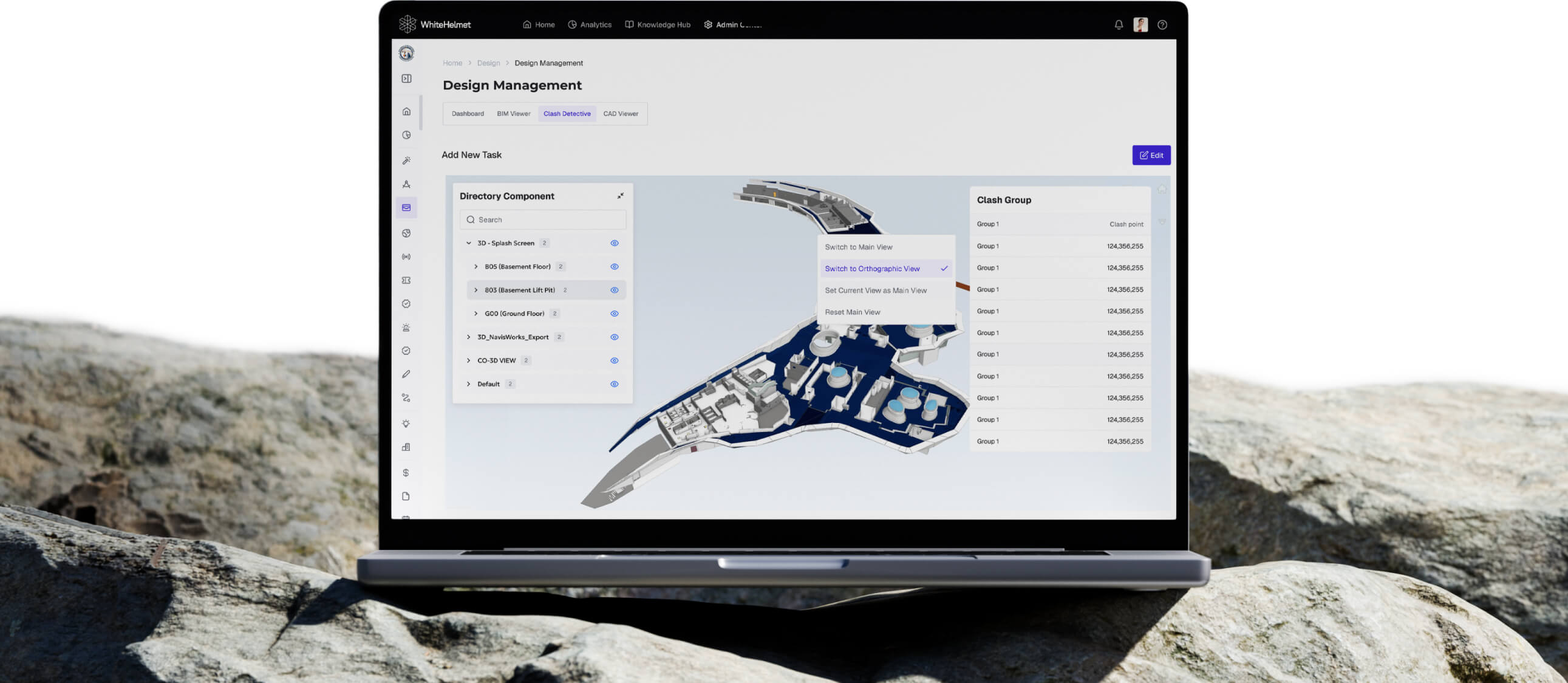
Centralize Designs. Eliminate Clashes Before They Hit the Field.
Manage BIM models, detect clashes automatically, compare the difference between 2 BIMs, and review designs across IFC, RVT, and DWG formats — all in one platform. Design Management replaces the chaos of fragmented design reviews with a centralized BIM viewer and manager.
BIM Model Viewer & Navigator
Automated Clash Detection
Measure, Walkthrough, and Compare
Public and Private Comments
BIM Standard Categorization

BIM Model Viewer & Navigator
Load, explore, and navigate BIM models directly in your browser. Use section planes, isolation tools, and floor plan navigation to review IFC, RVT, NWC, and DWG files — no external software required.
Automated Clash Detection
Run automated interference checks across loaded models to detect clashes between disciplines. Categorize by type and severity, and filter results to focus on what matters most before it reaches the field.
.avif)
.avif)
Measure, Walkthrough & Compare
Take precise measurements directly on the model, walk through spaces in first-person view, and compare design versions side-by-side to understand exactly what changed.
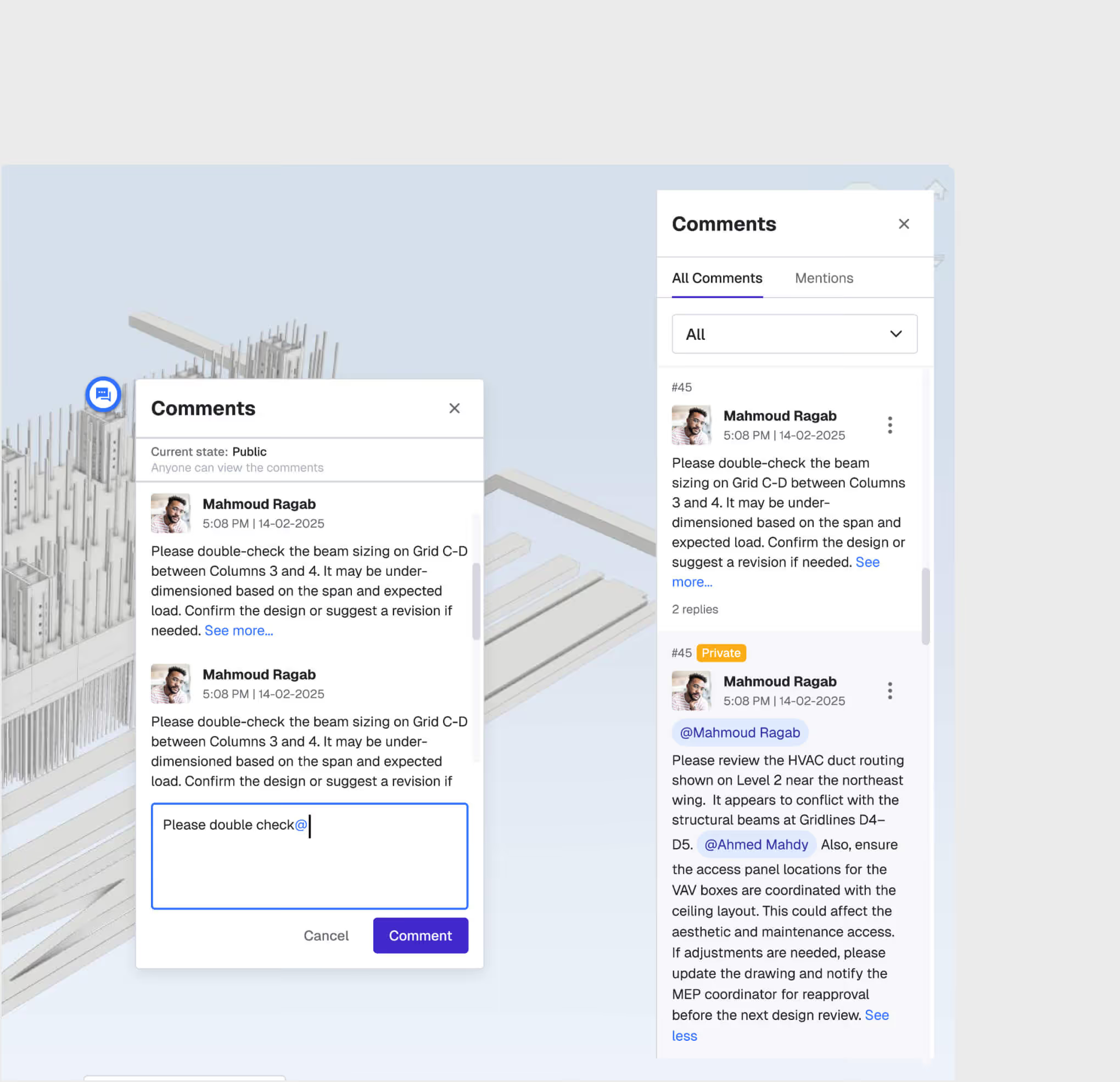
Public & Private Comments
Collaborate directly on the model with public comment threads visible to your full team, or use private comments for internal notes for yourself. Every comment is anchored to the relevant model element for full context.
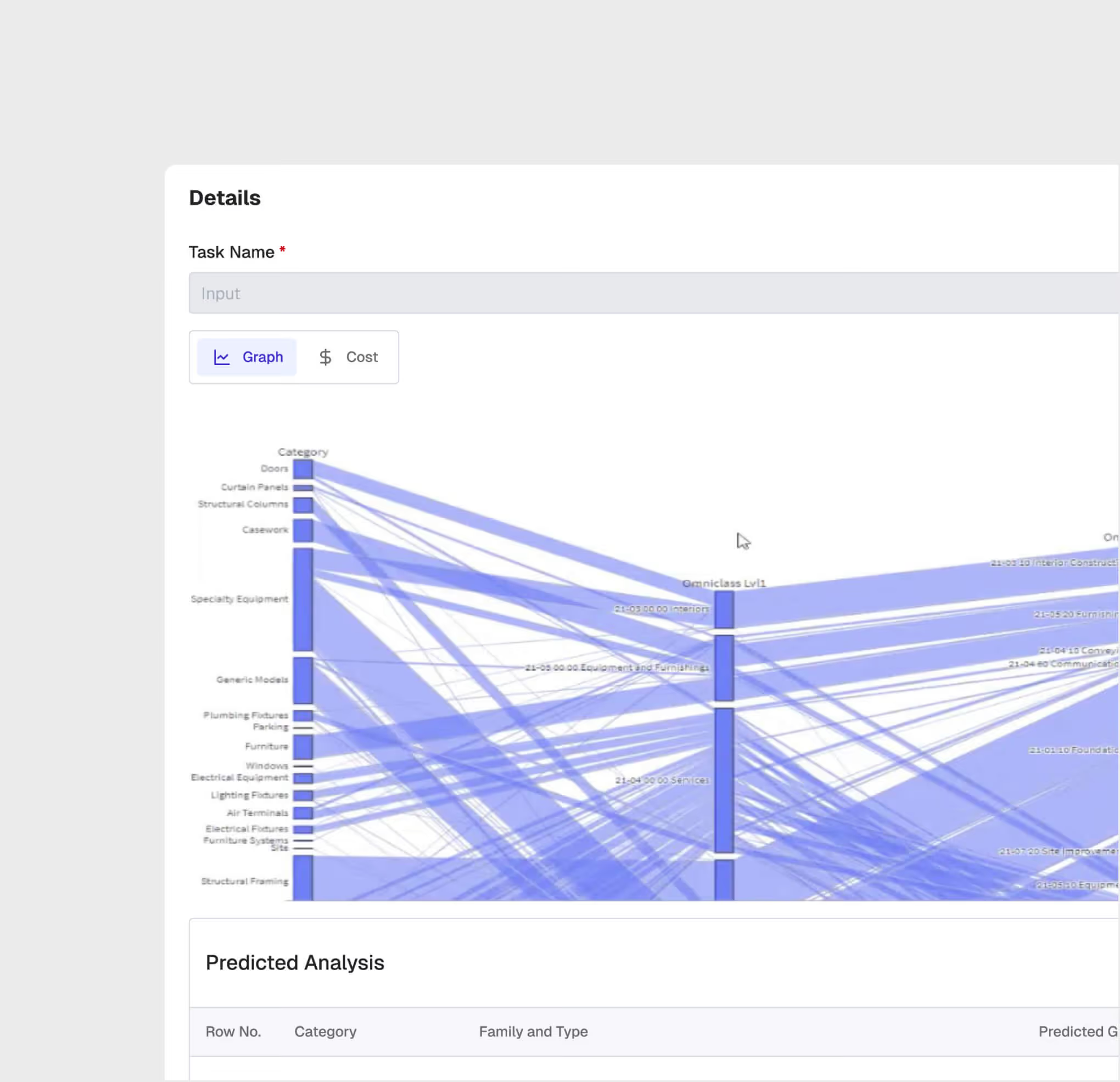
BIM Standard Categorization
Automatically analyze BIM elements using Omniclass and RICS standards giving you an overview of the completion rate of your BIM and the missing percentage of cost in your BOQ.
Design Management is most useful for:
BIM Managers
Model Coordination
Federate multi-discipline BIM models, run automated clash detection, and manage design issues through resolution — all from a single platform.
Design Engineers
Cross-Discipline Review
Review designs across disciplines with 3D visualization, annotate issues in context, and track comments through to resolution.
Project Directors
Design Approval Oversight
Monitor design review status, track outstanding clashes, and ensure all disciplines are signed off before authorizing construction.
"We used to have our designs across PMCs and various departments. With WhiteHelmet, we developed a single source of truth with clash detection and collaboration across teams.”
.avif)
Frequently asked questions
Yes. Enterprise clients operating in jurisdictions with specific data transfer requirements can request a DPA. Contact info@whitehelmet.com.
No. WhiteHelmet does not use client-uploaded project data to train AI models without explicit written consent.
Your data remains accessible during any post-cancellation grace period defined in your contract. After this period, data is securely deleted unless otherwise agreed. Contact your account manager for specifics.
WhiteHelmet's AI-generated outputs, including compliance analyses, reports, and observations, are intended to support internal decision-making. They do not constitute certified professional or legal advice. Clients are responsible for verifying outputs with qualified professionals before formal submissions.
WhiteHelmet uses end-to-end encryption, role-based access controls, multi-factor authentication, and continuous monitoring. In the event of a confirmed breach, affected clients are notified in accordance with applicable law.
WhiteHelmet follows OWASP methodology for global security standards and adheres to the National Cybersecurity Authority (NCA) requirements in the Kingdom, and is SOC 2 Type II certified, independently audited based on the AICPA's Trust Services Criteria covering Security, Availability, and Confidentiality.
WhiteHelmet products Design Management works well with

Field Intelligence
