
Asif AI
Construction AI assistant that answers project questions with source-cited, context-aware responses.
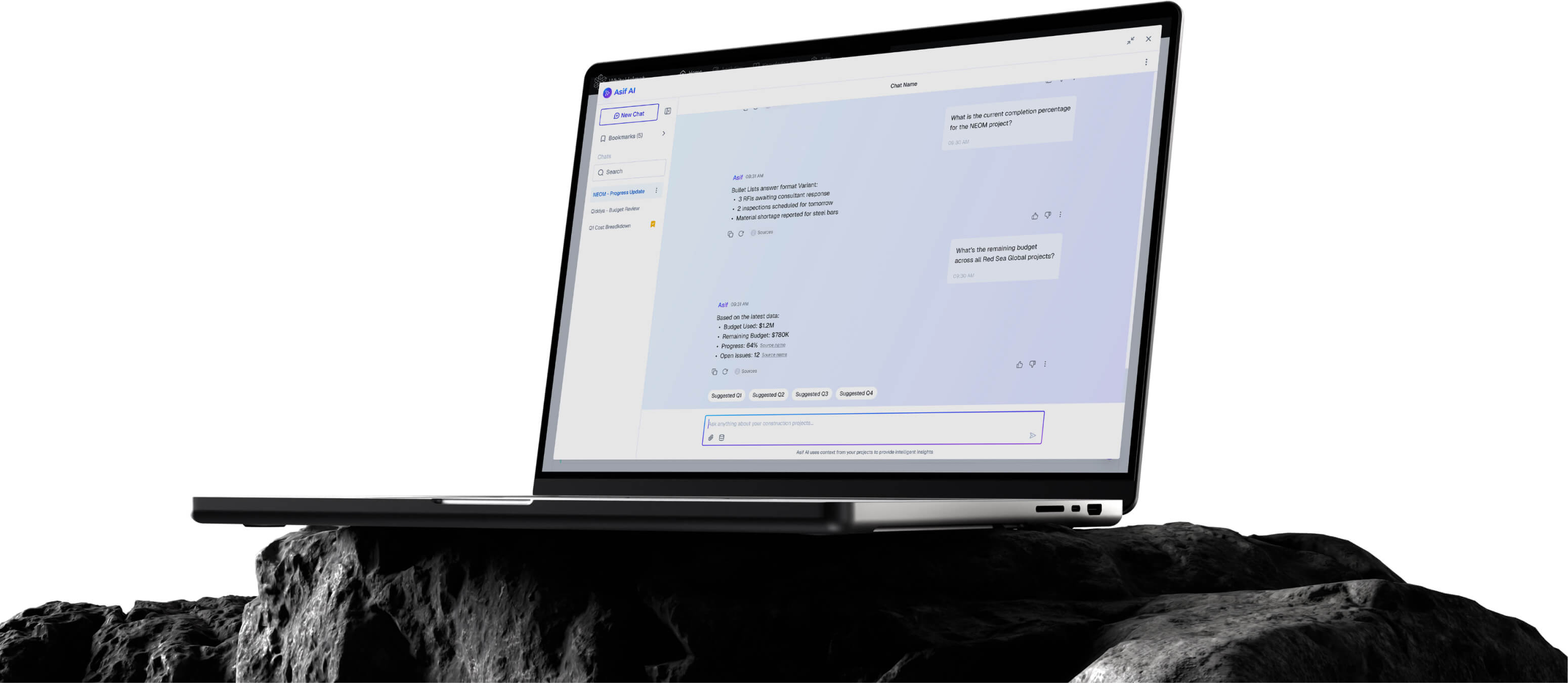
Asif. Get Answers with Sources. Make Decisions Instantly.
Asif AI is your project knowledge assistant — ask questions in natural language and get instant, source-cited answers from your project documents, knowledge base, and connected data sources. Stop searching. Start asking.
Natural Language Q&A Interface
Source-Cited Responses
Knowledge Base Integration
Multi-Source Data Connection
Conversation History & Bookmarks
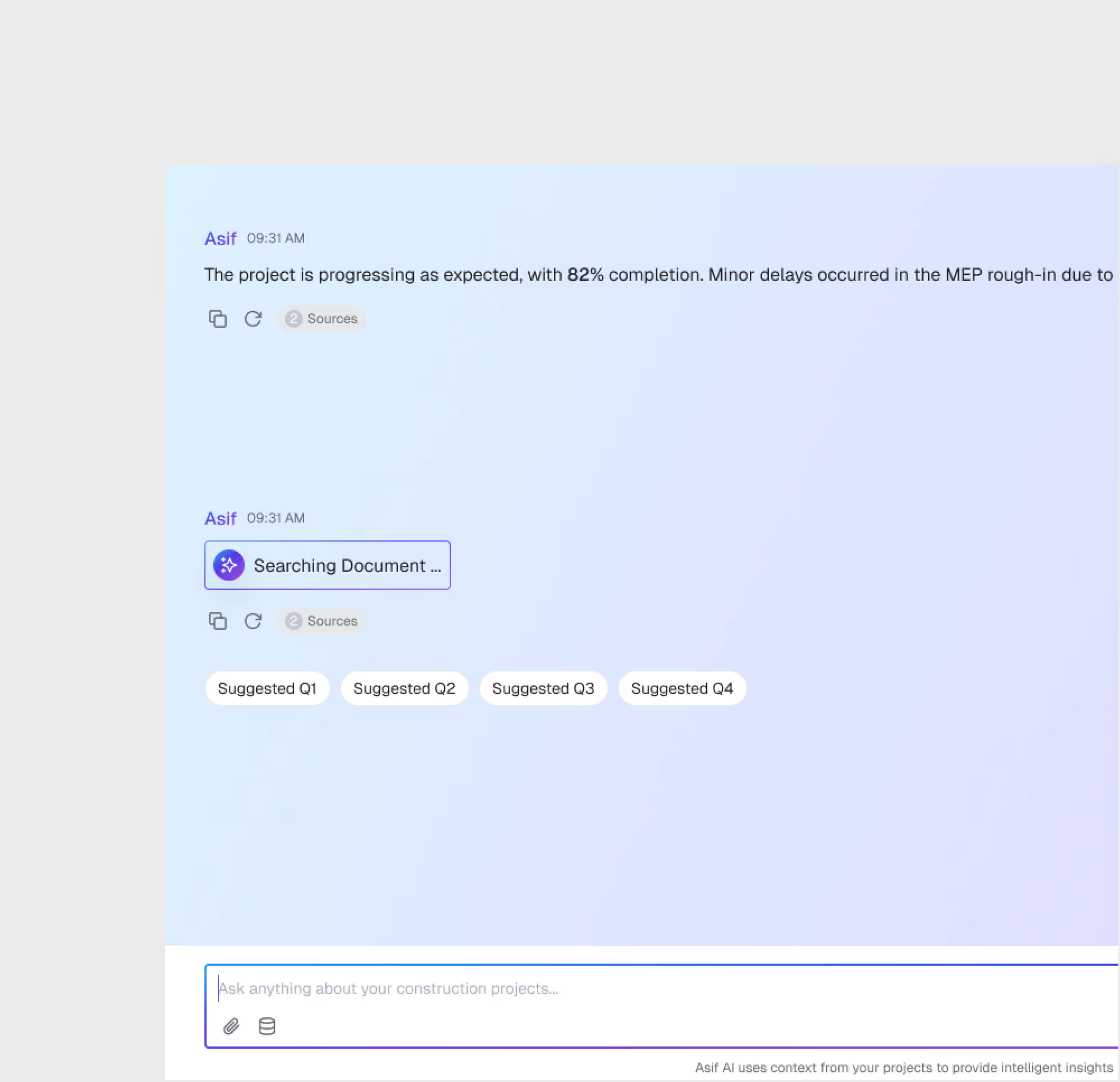
Natural Language Chat Interface
Ask project questions in plain English or any other language. Asif understands construction context and returns precise answers — not just document links, but actual answers with citations.
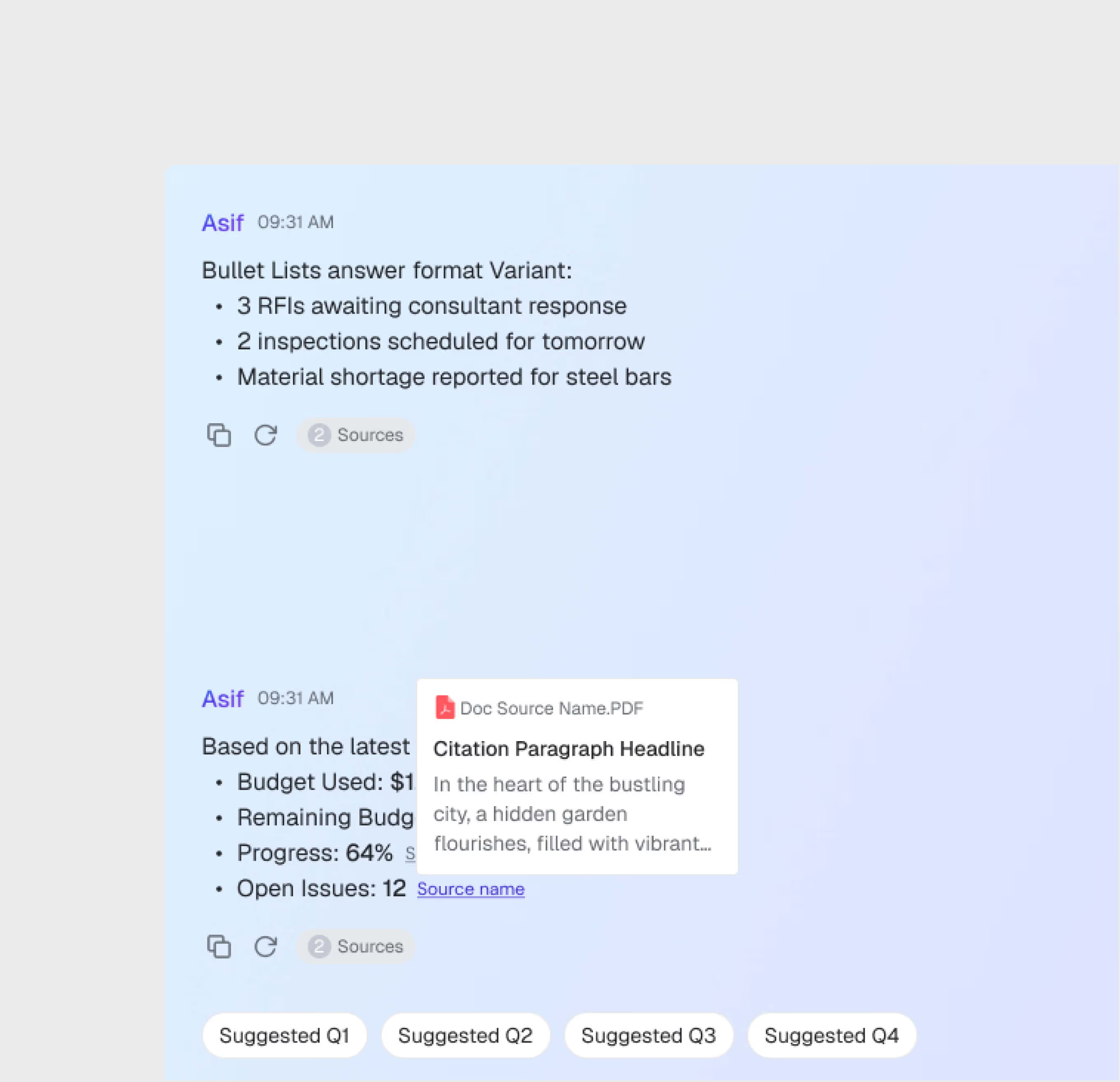
Source-Cited Responses
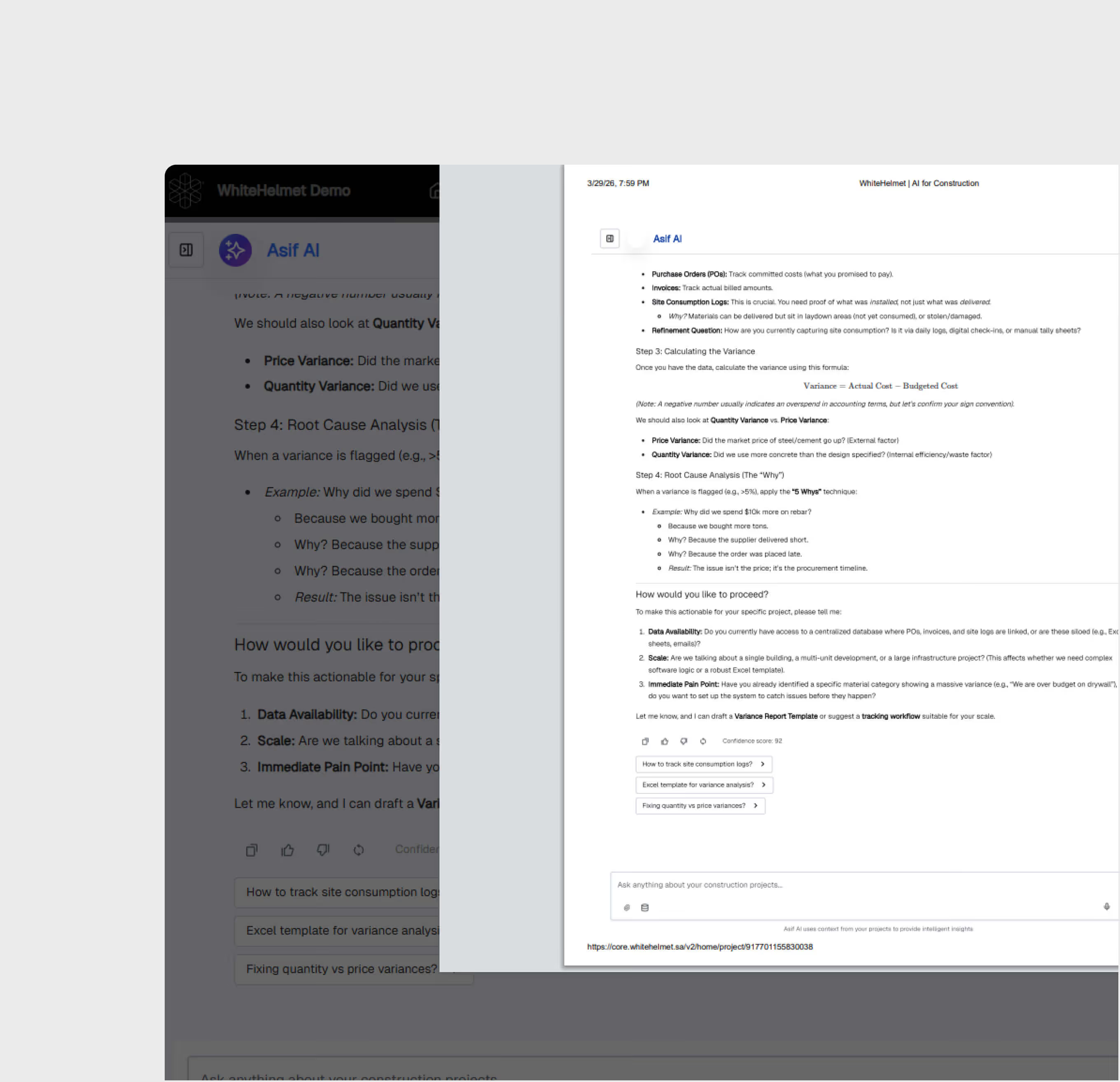
Every answer includes source citations linking back to the original documents. Verify AI responses against the source material with one click.
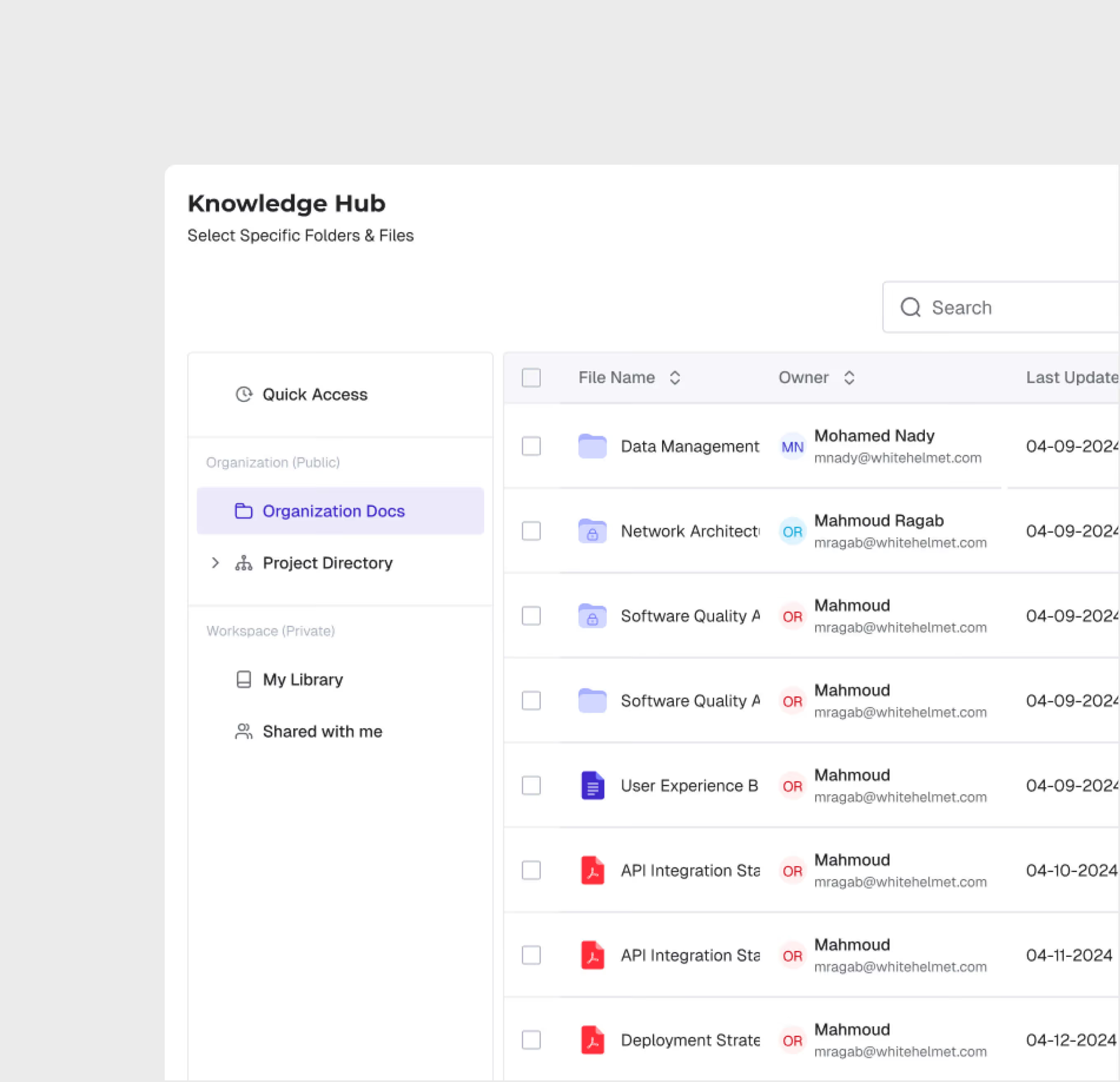
Knowledge Base Connection
Connect your project knowledge base — specifications, standards, meeting notes, contracts — and Asif uses this context to provide project-specific answers.
Multi-Source Data Integration
Asif connects to multiple data sources across the WhiteHelmet platform — project documents, construction progress, schedule, contracts and claims, and more — for comprehensive answers.

Bookmarks & Export
Save valuable answers as bookmarks for quick reference. Export chat transcripts and AI responses for documentation and sharing with stakeholders.
Asif AI is most useful for:
Project Engineers
Instant Specification Lookup
Ask Asif about specifications, standards, and design requirements instead of searching through hundreds of documents manually.
Executives
Quick Decision Support
Get instant answers to construction progress, budget, quality, safety, and schedule.
Project Managers
Cross-Project Knowledge Access
Query project knowledge across documents, reports, and historical data to make informed decisions with complete context.
"It used to take me two days to get a simple answer from my team. My engineers used to spend 45 minutes finding the right specification clause. Now we ask Asif and have the answer — with source citation — in 30 seconds."
.avif)
Frequently asked questions
Yes. All geo-tagged incidents are displayed on the GIS map, enabling spatial analysis of incident patterns and high-risk zone identification.
GIS 3D supports IFC and RVT for BIM models, LAS/LAZ for point clouds, and standard image formats for drone orthomosaics and aerial imagery.
Yes. GIS 2D and GIS 3D share the same geospatial foundation. You can switch between 2D planning views and 3D visualization views seamlessly.
When an incident is logged, the user selects the appropriate SOP-based workflow based on incident type and severity, guiding investigators through each required step.
WhiteHelmet products Asif AI works well with

Field Intelligence
