
AI Bid Analysis
AI-powered bid evaluation that compares proposals against scope of work in minutes.
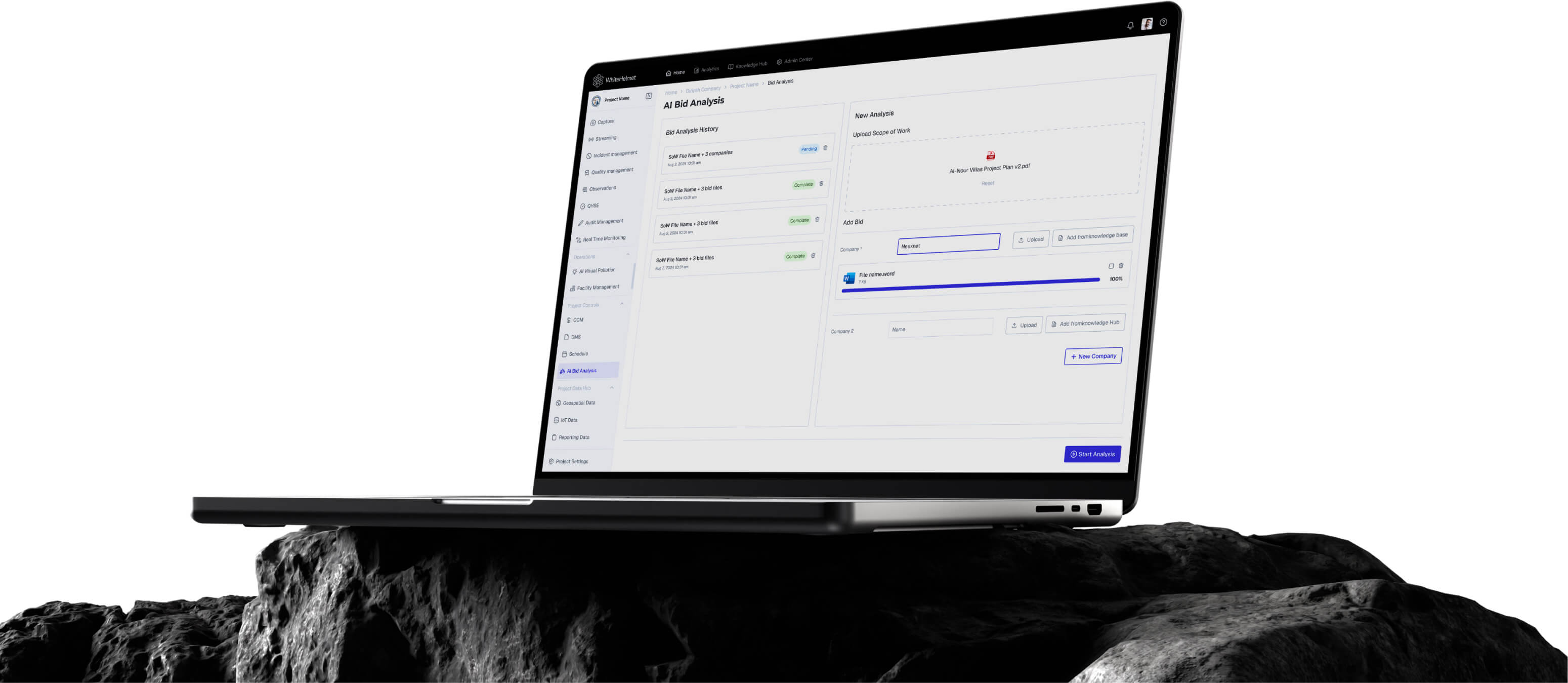
Evaluate Bids in Minutes, Not Weeks.
Upload your scope of work and bid documents, and let AI compare them automatically. AI Bid Analysis generates scope coverage percentages, alignment scores, risk flags, and weighted scoring matrices — compressing weeks of manual evaluation into minutes.
AI Bid Comparison Engine
Scope Coverage Analysis
Risk & Compliance Flagging
Weighted Scoring Matrix
Multi-Bidder Comparison
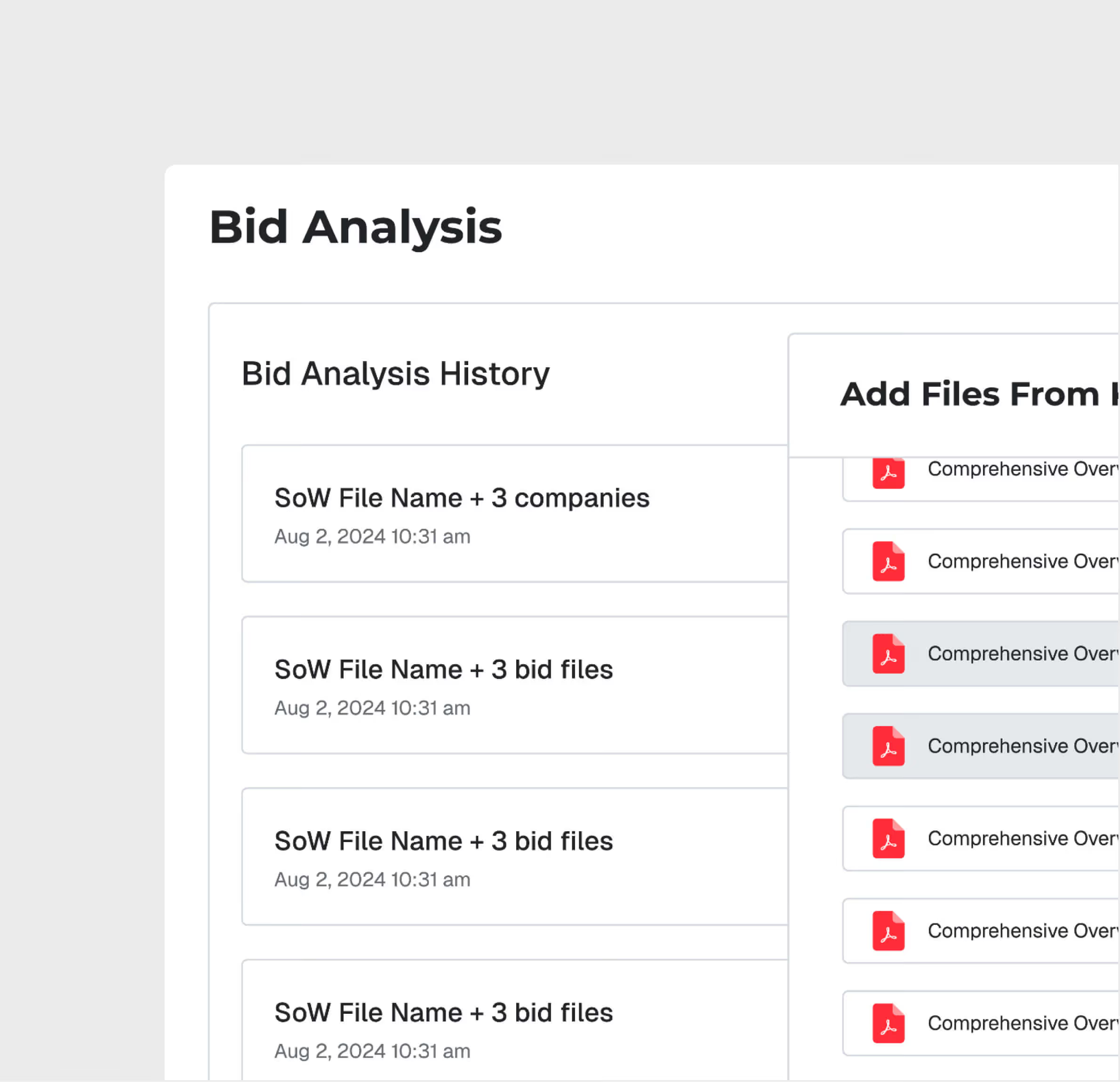
AI Bid Evaluation Engine
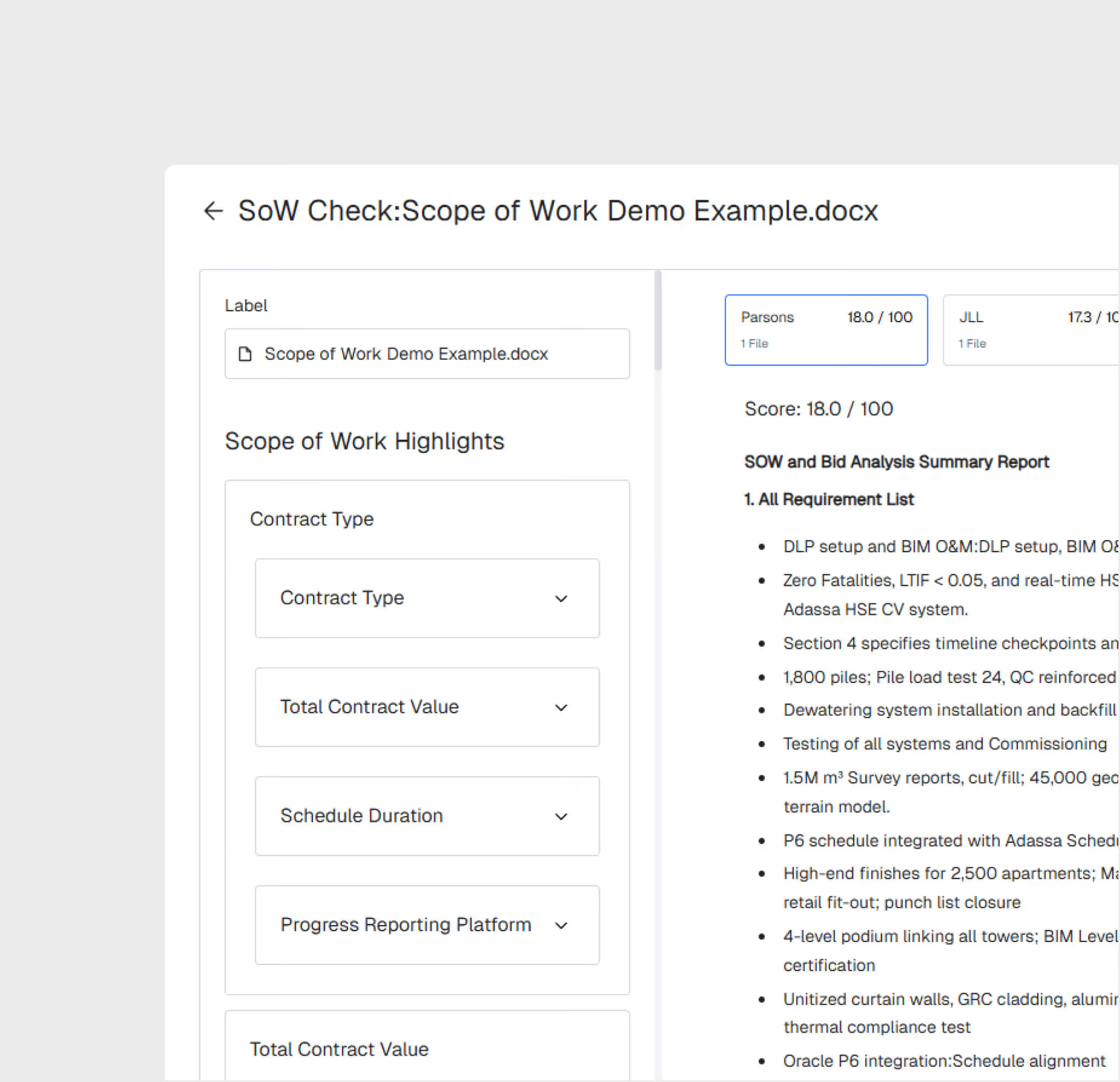
Upload scope of work and bid documents. The AI automatically compares each bid against the SOW, generating scope coverage percentages and alignment scores for every section.
Multi-Bidder Comparison
Compare 5-15 bids simultaneously with side-by-side analysis. See which bidders cover which scope items, where gaps exist, and how bids rank on technical and commercial criteria.
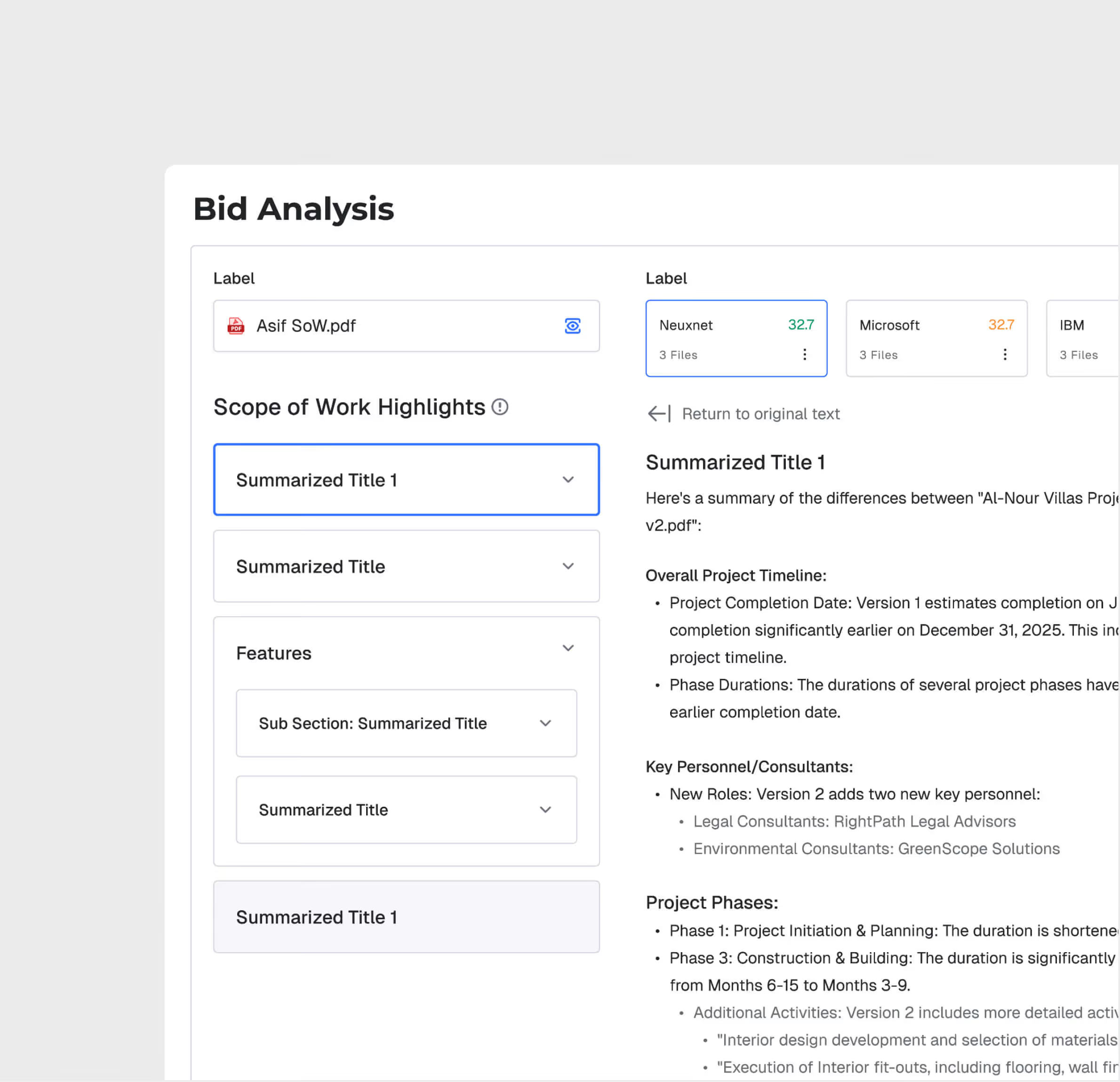
Risk & Compliance Flagging
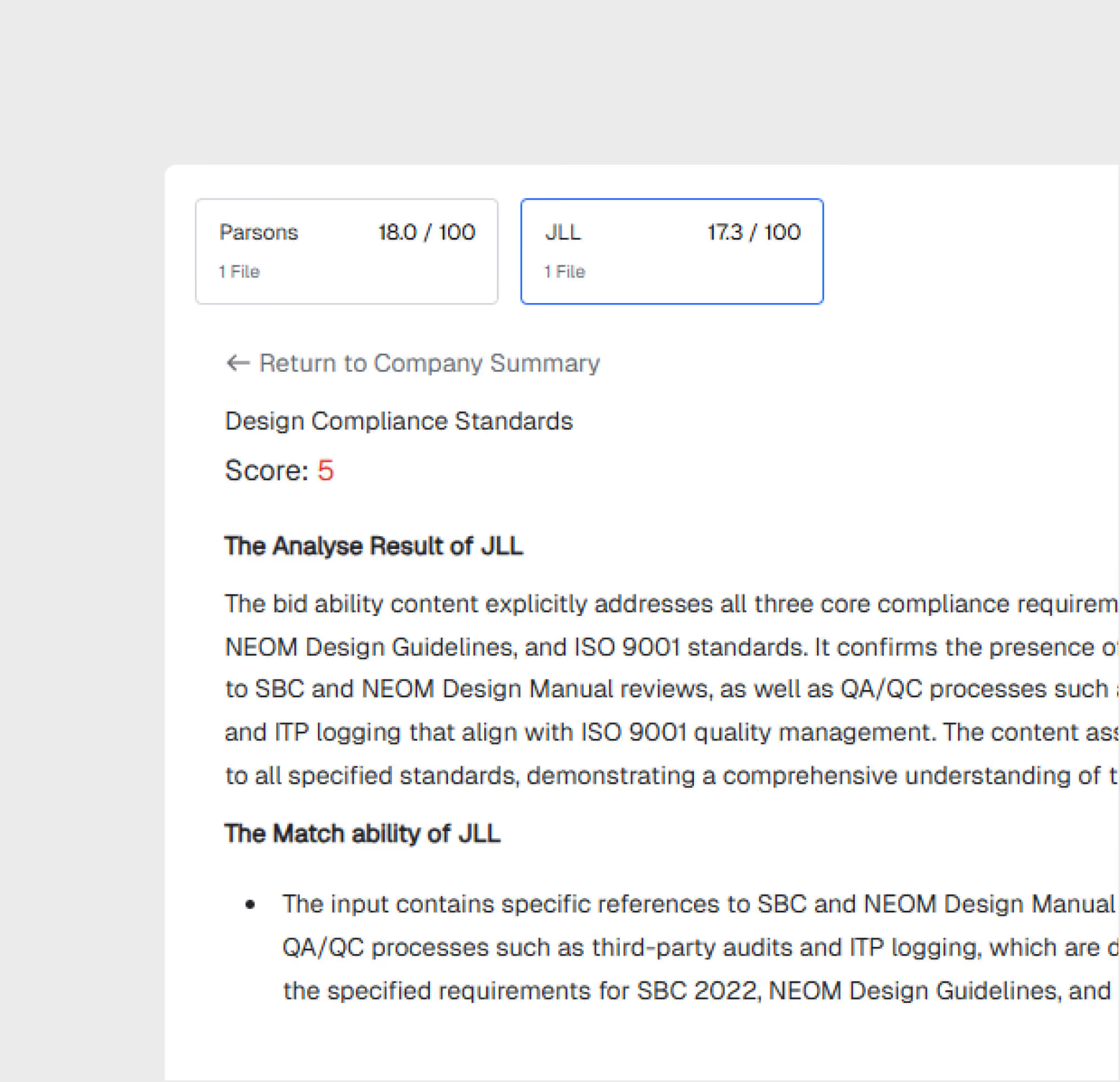
The AI identifies missing clauses, non-compliant terms, and commercial risks across all submitted bids — flagging issues that would take procurement teams days to find manually.
Weighted Scoring Matrix
Generate a weighted scoring matrix with customizable evaluation criteria. Adjust weights for technical capability, commercial terms, compliance, and schedule to match your priorities.
Interactive Bid Q&A
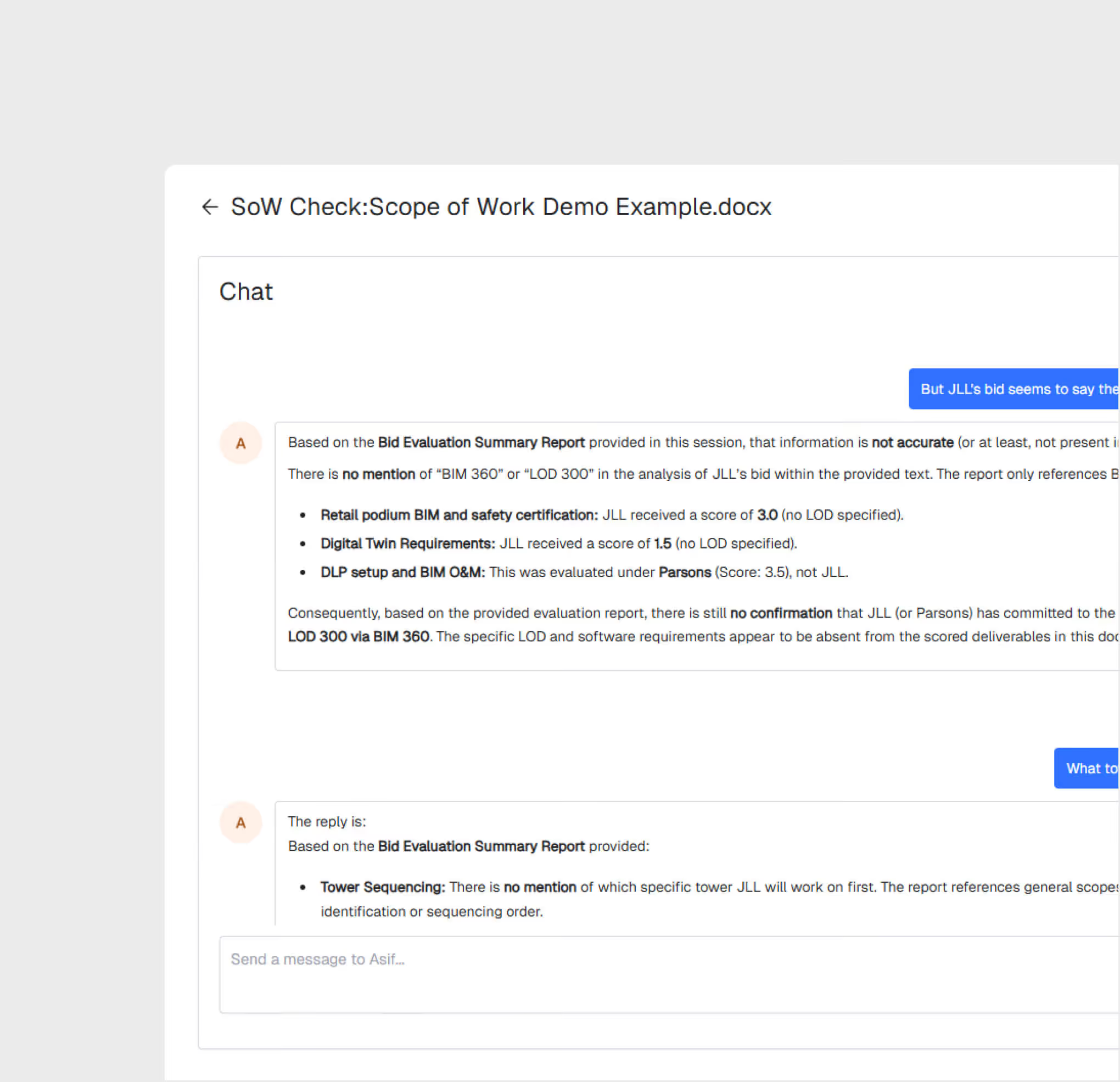
Use Asif Chat to ask questions about specific bids — query clause-level details, compare bidder responses on specific items, and get AI-generated summaries of key differences.
AI Bid Analysis is most useful for:
Procurement Managers
Accelerated Bid Evaluation
Reduce bid evaluation from 2-4 weeks to 1-2 days with AI that reads every page, compares every clause, and scores every bidder against your scope.
Estimation Teams
Technical Bid Analysis
Compare technical proposals in detail — scope coverage, methodology, equipment lists, and compliance items — with AI highlighting gaps and differences.
Project Directors
Award Decision Support
Make informed award decisions with comprehensive bid comparison data — coverage scores, risk flags, and weighted rankings — instead of relying on summarized spreadsheets.
"We evaluated 8 bids for a $50M package in 2 days instead of 3 weeks. The AI found scope gaps in two bids that our team had missed in the initial review."
.avif)
Frequently asked questions
Work packages are color-coded on the map by status — planned, in-progress, and completed — with drill-down access to percentage completion and contractor assignments. They are connected to the reporting engine.
Yes. GIS 2D integrates directly with Primavera P6, displaying activity dates, completion percentages, and dependencies on the spatial map.
GIS 2D supports DWG, DXF, and KML file formats for CAD and geospatial overlays, with file sizes up to 100 MB for CAD and 50 MB for KML.
Workflows are easily configured with multiple review/approval stages, role-based routing, and SLA timers. Documents advance through stages based on approver actions.
The DMS supports all standard construction file formats including PDF, DWG, DXF, DOC, XLS, images, BIM files, and more.
Yes. Models from Revit and AutoCAD can be uploaded directly. The platform also supports IFC for open-standard interoperability.
WhiteHelmet products AI Bid Analysis works well with

Field Intelligence
