
360° Reality Capture
Complete site intelligence: 360-degree reality capture with geo-tagged observation management, AI-powered progress detection, and snagging & punch list workflows — all in one platform.
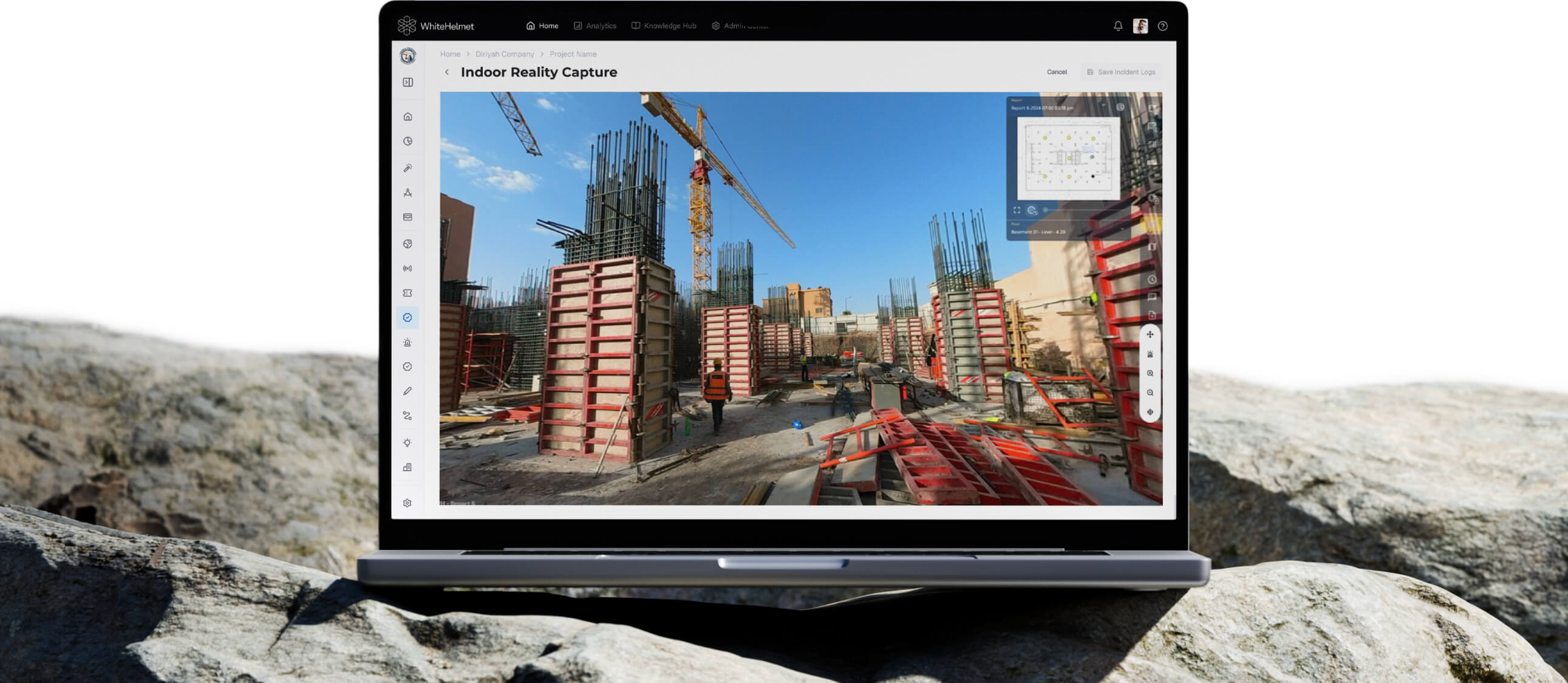
Site from Anywhere. Resolve Every Issue Faster.
Capture 360-degree site imagery and log geo-tagged observations in one unified workflow. From virtual walkthroughs for remote stakeholders to structured snagging and punch list management — WhiteHelmet connects what you see with what needs to get done.
360° Site Photography & Virtual Walkthroughs
AI Safety & Progress Detection
Geo-Tagged Observation Logging
Snagging & Punch List Management
Resolution Tracking Dashboard
Timelapse & BIM Comparison
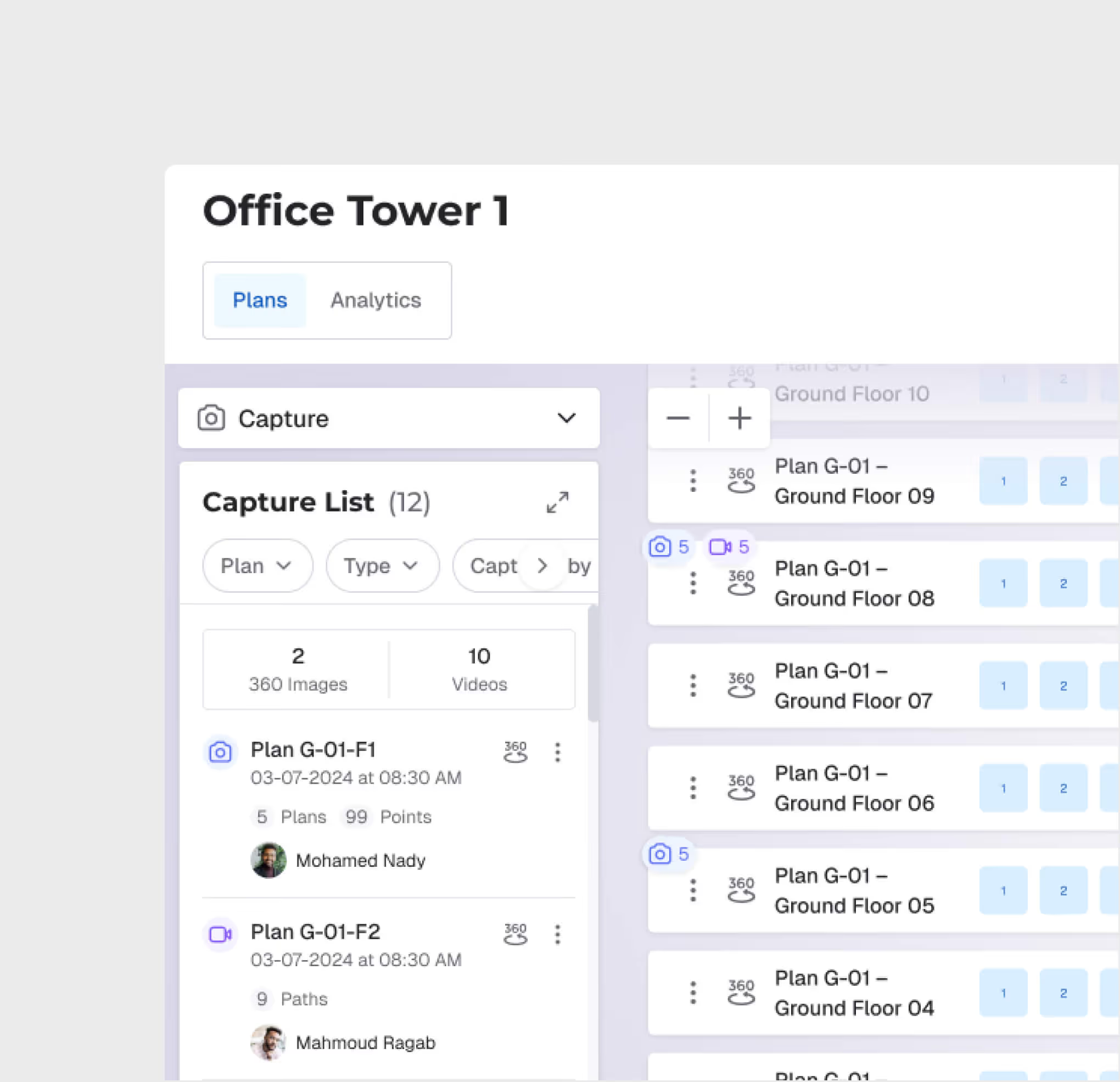
360° Capture Management
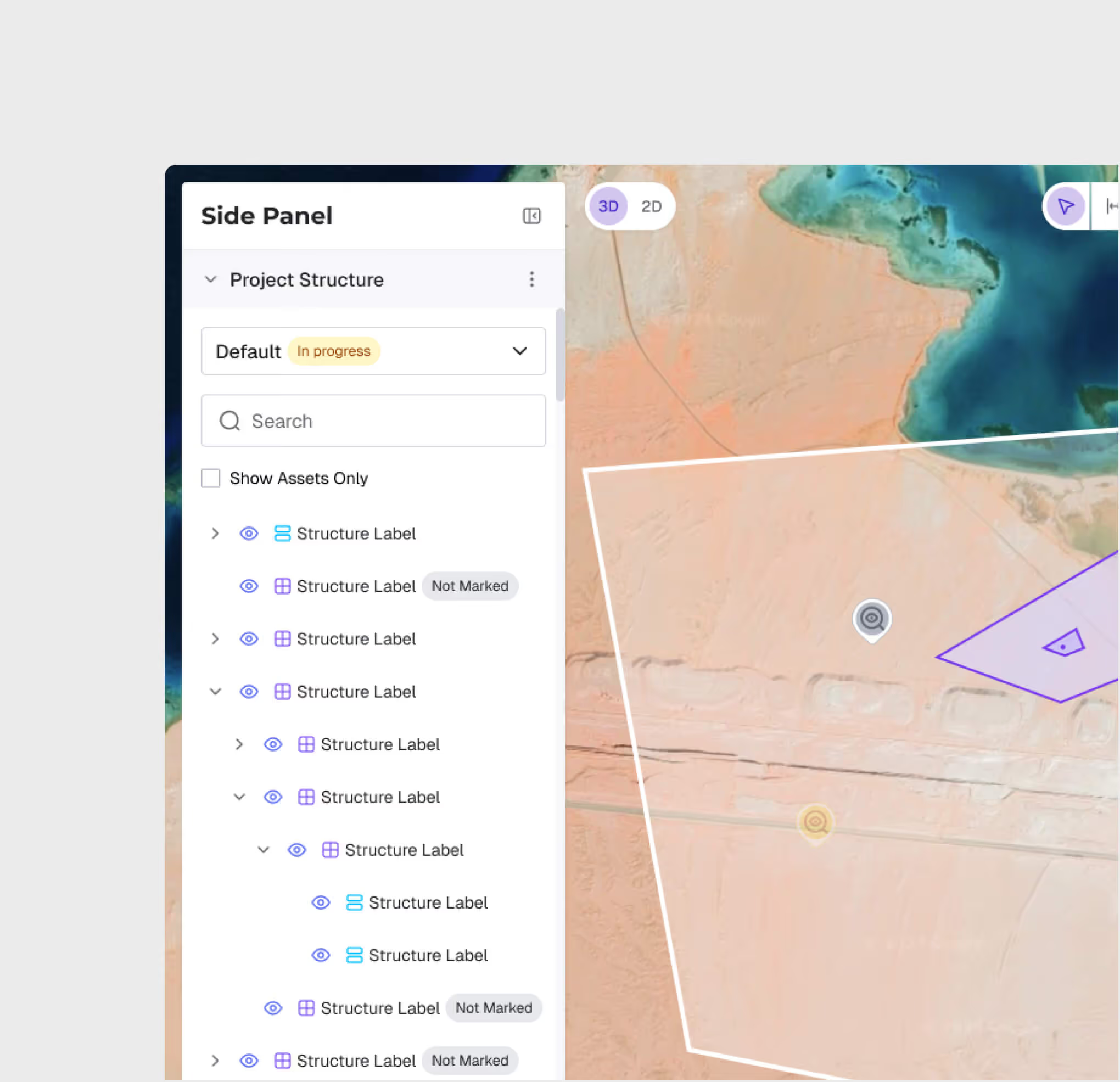
Organize site captures by project zones, assets, and dates. Navigate between captures on an interactive floor plan for structured, repeatable documentation across every site visit.
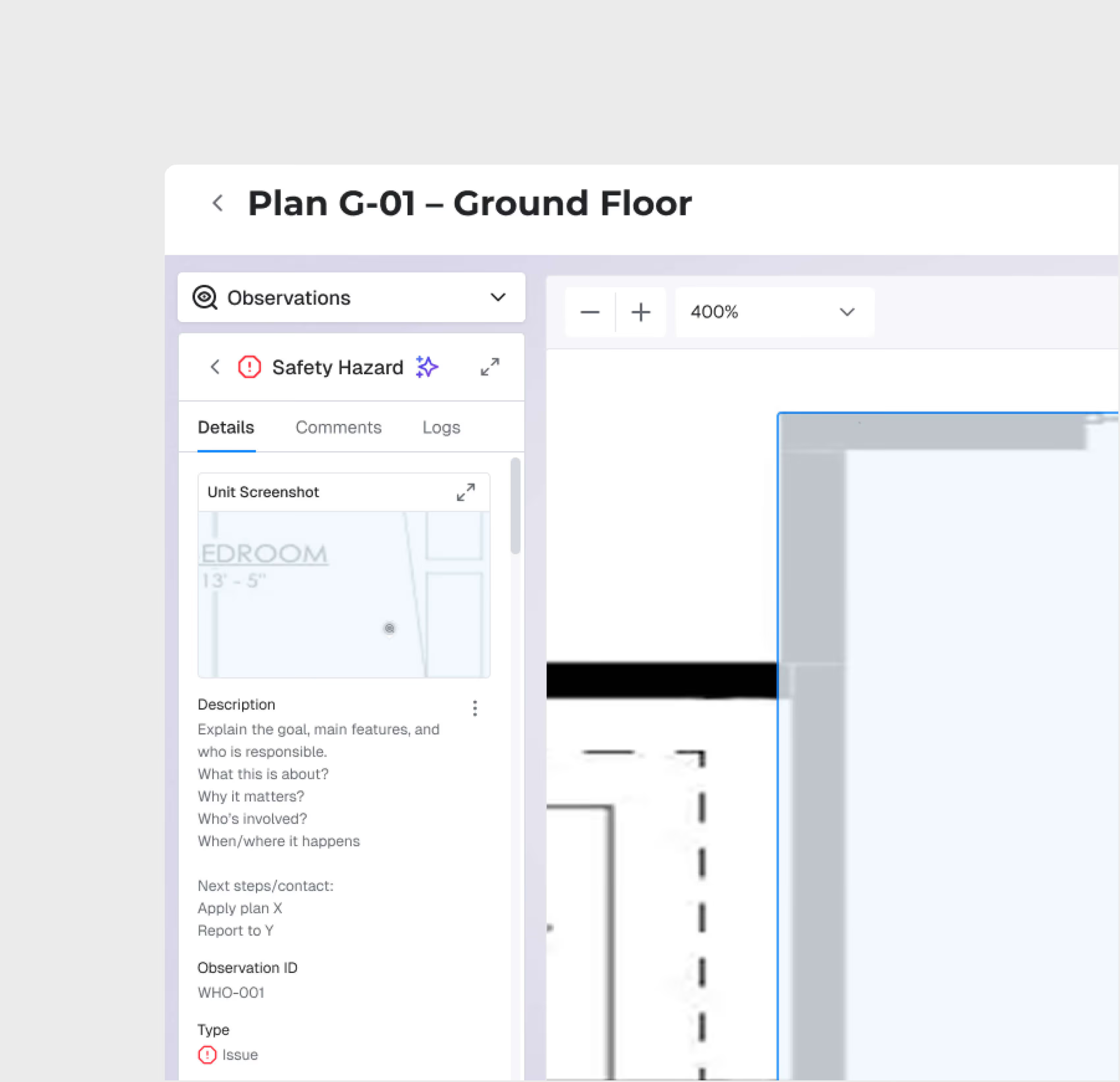
AI-Powered Safety Detection
Upload captures and let AI automatically flag safety issues — before they become incidents.
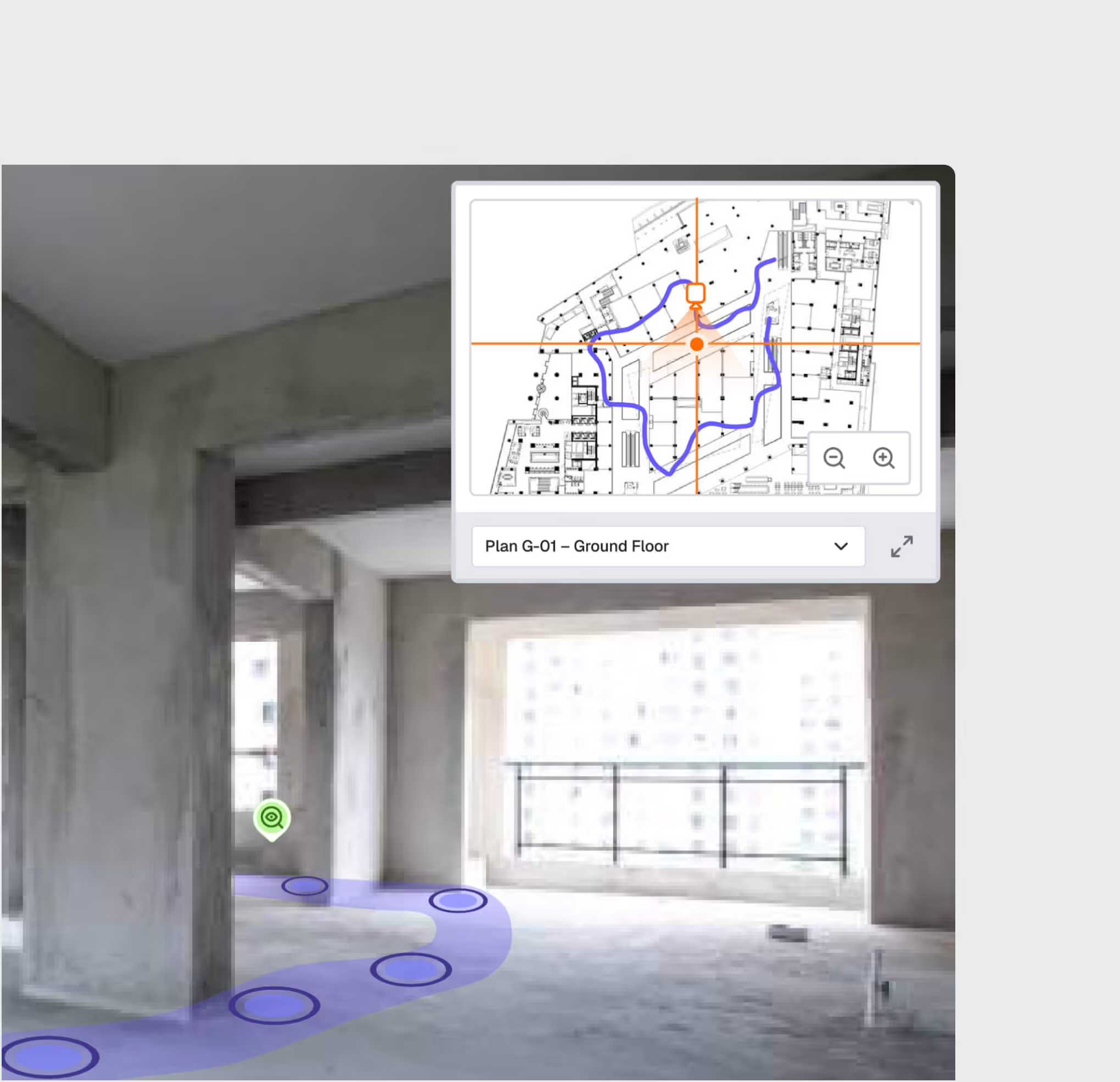
Virtual Walkthrough
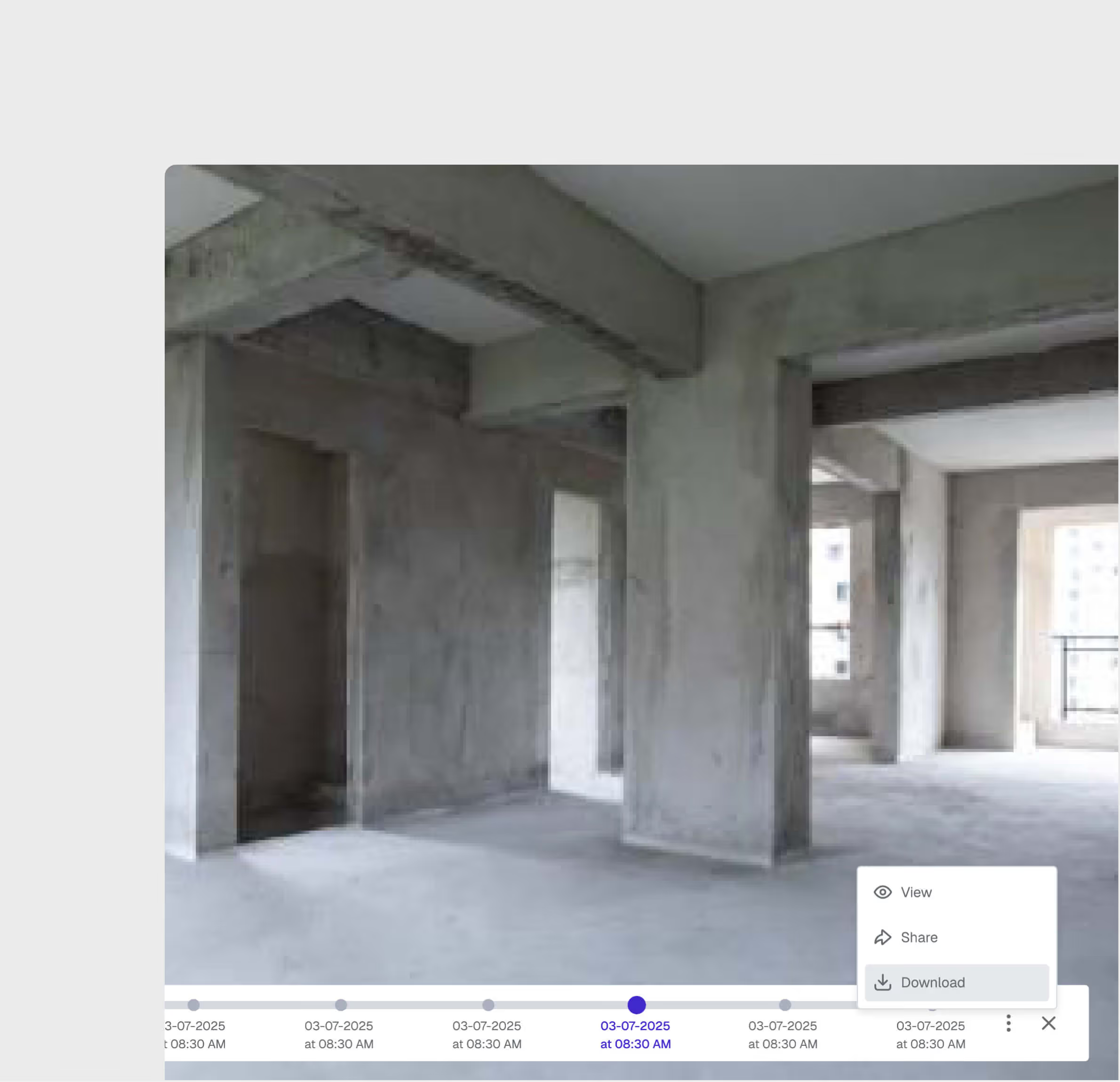
Walk through the site virtually from any device. Stakeholders, consultants, and remote teams can inspect construction quality without traveling to the site.
Geo-Referenced Observation Logging
Log field observations with automatic geo-tagging, photos, and structured categories. Every observation is anchored to a specific location on the project map — tied directly to the corresponding 360 capture.
Timelapse, History & Reporting
Build a visual timeline of construction progress. Compare captures across dates, export observation logs as PDF or Excel, and generate analytics on response times, resolution rates, and recurring issue patterns.
Snagging & Punch List Management
Capture defects, snags, and punch list items directly from the field with photos, location tags, and assignee details. Track every item from identification through sign-off — with structured workflows that ensure nothing is handed over incomplete.
360° Reality Capture is most useful for:
Site Supervisors
Structured Site Documentation
Capture 360-degree imagery and log observations during the same site walk — creating a complete visual and issue record without double-entry.
Executives
Virtual Site Inspection
View construction progress from anywhere via virtual walkthroughs, while staying updated on all open observations and their resolution status.
HSE Managers
Safety Observation Tracking
Monitor safety observations tied to specific 360 captures, track resolution rates, and identify recurring hazard patterns with visual evidence.
Project Managers
Issue Resolution Oversight
View all open observations across the project, monitor SLA compliance, and cross-reference with 360 captures to verify resolutions.
QA/QC Teams
Visual Quality Verification
Review construction quality through detailed 360 captures, log defect observations directly from the walkthrough view, and track resolution through closure.
"We used to run separate tools for site photos and issue tracking. Now everything — the walkthroughs, the observations, the snags — lives in one place. Our PM in Riyadh reviews Jeddah site progress every morning and flags issues before our engineers even arrive on site."
.avif)
Frequently asked questions
Yes. Upload your organizational standards, regulatory interpretations, and project-specific requirements to the knowledge base for AI-augmented evaluation.
The system supports Saudi Building Code (SBC), fire safety standards, NCEC environmental regulations, and custom organizational standards uploaded to the knowledge base.
Yes. Asif Chat lets you query specific bids at the clause level — compare responses, ask about specific terms, and get AI-generated summaries.
A typical analysis with 5-10 bids completes in 1-5 hours, compared to 2-4 weeks of manual evaluation.
Upload bid documents in PDF, DOCX, and XLSX formats. The AI extracts and analyzes content from standard document structures.
The system supports comparison of up to 15 bids per analysis session, with side-by-side evaluation across all bidders.
WhiteHelmet products 360° Reality Capture works well with

Field Intelligence

Project Management Intelligence
Tools that work alongside this product


WhiteHelmet Applications are available in both Google Play and App Store.